ALPHA Electro
www.pipistrel-aircraft.com
REV.0
POH-167-00-40-150
7-11
Aircraft & systems
CAN (data) Logger
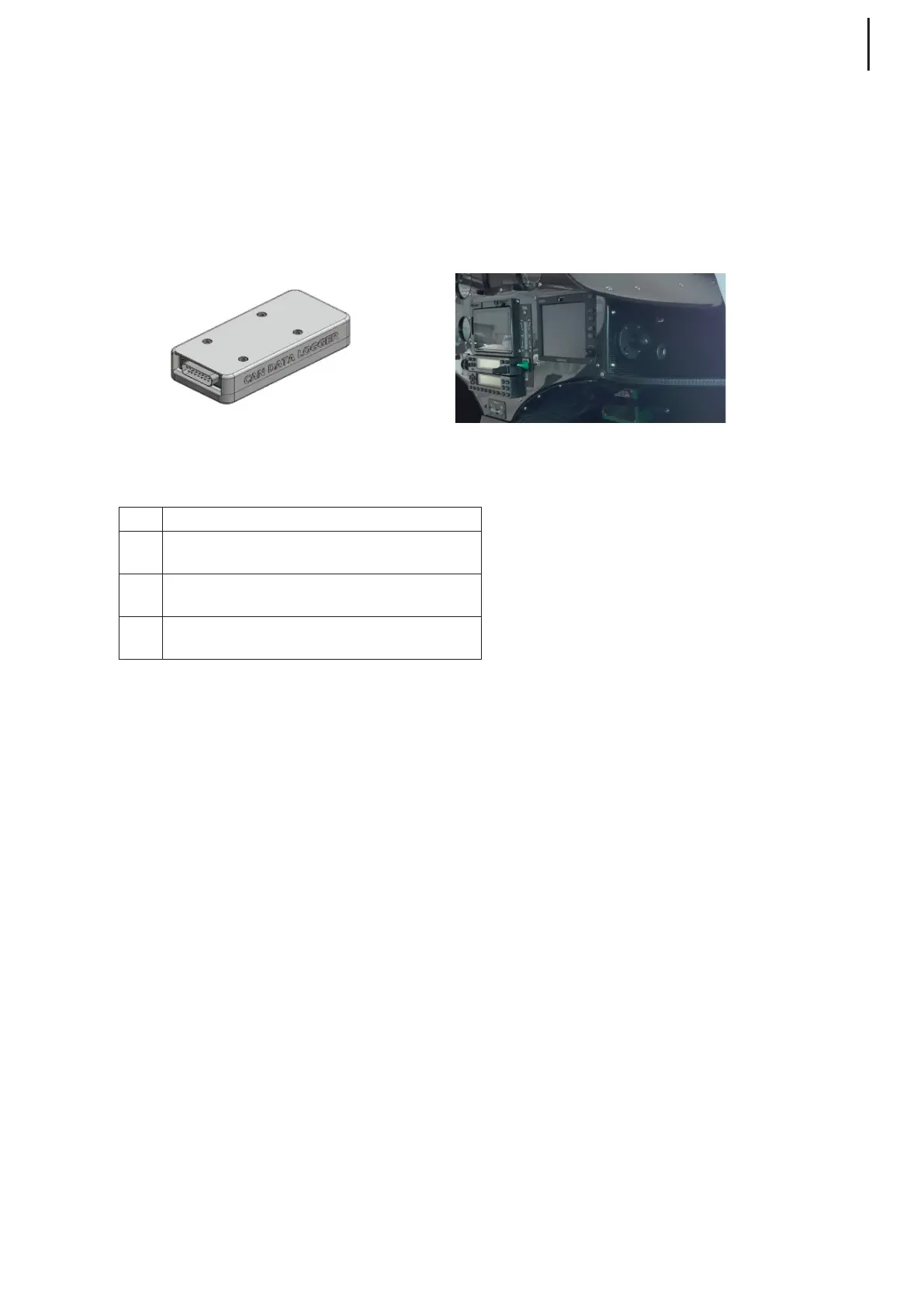
The aircraft is equipped with a CAN logger, which is used for logging CAN (Controller Area Network)
bus data and can be assimilated to a flight data recorder. The device consists of Logger (an electronic
box) with SD card and attached cable with 15-pin DB-15 Connector which can be connected directly
to the main controller trough diagnostics port positioned on the right side of the instrument panel.
Setup procedure
Step Action
1
Approach the right hand side of the aircrafts control
panel and locate the socket marked DIAGNOSTICS.
2
Plug in the 15-pin DB-15 Connector into the
DIAGNOSTICS socket.
3
Tighten the screws on the connector with a flat
screw driver to the socket.
NOTE: Power supply for the device is provided via the attached cable. Device turns on and Logger
starts logging CAN bus data on SD card immediately when aircrafts Master switch is turned to ON
position. Device turns off and data logging stops when Master switch is turned to OFF position.
Logging and downloading data, during flight and uploading them to the dedicated on-line Pipistrel
electro portal, is highly recommended. Submitting the data to the manufacturer will not only make it
easier to provide product support and troubleshooting advice, but also give insight into the aircraft’s
life history. It also helps the design data owner monitor the fleet and implement design improve-
ments based on performance data analysis.
Login to Pipistrel Electro Portal and follow the instructions to upload the logged data by using the link:
https://cloud.pipistrel.si/electro
Contact first electro.support@pipistrel-aircrafts.com to receive username and password.
For additional help on seting up Pipistrel’s flight logger, please refer to:
https://cloud.pipistrel.si/electro/help or contact electro.support@pipistrel-aircrafts.com
Data Logger Instrument panel



 To Next Page