EasyManua.ls Logo

Pitco SELVRF - User Manual

Pitco SELVRF
26 pages
Print Icon
To Next Page IconTo Next Page
Loading...
+1 (603) 225-6684 L22-405 R0
hp://www.pitco.com 1 4/18
TROUBLESHOOTING AND
SERVICE MANUAL
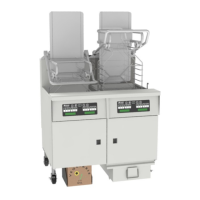
Covering SELVRF
Disclaimer: By performing any service on the intended equipment of this manual, you agree to assume all risks involved with performing the service including but not limited to damage to
property, personal injury and loss of income. Pitco/Magikitchn/Anets/Perfect Fry recommends all service to be performed by a qualied service agent. Improper service or maintenance
can cause serious property damage, personal injury or death. It is the responsibility of the person servicing the equipment to follow all safety procedures and verify proper operaon of the
equipment aer performing service. Read the operaons manual prior to operang or servicing any equipment. Ensure to review all noces, cauons, warnings and dangers noted in the
operaons manual.

Questions and Answers

  • S
    Sally BarnesAug 16, 2025
    Why Pitco SELVRF unit will not turn on and has no display?
    • M
      Michelle Bass MDAug 17, 2025
      The Pitco Desktop unit might not turn on due to several reasons: * There may be no power to the appliance. * The power cord could be unplugged. * The fuse(s) might be blown. To resolve this, check the circuit breaker, ensure the power cord is plugged in, and replace any blown fuses.
  • R
    Ricardo RodriguezAug 19, 2025
    What to do if Pitco SELVRF display shows “PAN NOT IN PLACE ”?
    • A
      Angelica HernandezAug 19, 2025
      If the Pitco Desktop display shows “PAN NOT IN PLACE,” it could be due to the filter pan not being installed, not installed properly, or the door being open. To resolve this: 1. Install the filter pan and retry. 2. Remove and reinstall the filter pan properly and retry. 3. Close the door and retry.
  • L
    Latoya ZhangAug 22, 2025
    Why Pitco Desktop unit will not heat or controller displays “HEAT FAIL ”?
    • J
      James BowenAug 23, 2025
      If your Pitco Desktop unit won't heat and the controller displays “HEAT FAIL,” it could be due to a few reasons: * The float switch might be stuck in the down position. * The hi-limit switch may have tripped. * The controller might be turned off. To fix this, ensure the float switch isn't stuck and that there is enough oil in the tank, reset the hi-limit switch, and turn the controller on.
  • J
    Joseph DavisAug 26, 2025
    What to do if Pitco SELVRF display shows “PAN NOT EMPTY ”?
    • T
      tschultzAug 26, 2025
      If the Pitco Desktop display shows “PAN NOT EMPTY,” it means there is oil in the filter pan or debris is holding the filter pan float up. To fix this, remove the oil from the filter pan and retry. Also, remove any debris from the filter pan float and retry.
  • P
    Peter DunnAug 28, 2025
    How to fix Pitco Desktop pump that runs but no oil is returning to the tank?
    • C
      christinejohnsonAug 28, 2025
      If the Pitco Desktop pump runs but no oil returns to the tank, possible causes include: * The filter pan is not installed properly. * The filter paper is clogged with debris. * The strainer cap is clogged with debris. * There are damaged or missing strainer cap or pickup block O-rings. * There is a clog in pump suction or return lines. * The pressure relief valve needs adjusting. To resolve this, properly install the filter pan, change the filter paper, remove and clean the strainer cap, replace the O-rings, remove any clogs, and adjust the pressure relief valve on the pump head.
  • M
    Michael RitterAug 31, 2025
    What to do if Pitco SELVRF Desktop display shows “CHECK FILTER ”?
    • R
      richardwatsonAug 31, 2025
      If the Pitco Desktop display shows “CHECK FILTER,” it indicates that the tank is not refilling from the filter pan. This could be because the filter motor is not running, the filter paper needs to be changed, or the strainer cap needs to be cleaned. Check these components to resolve the issue.
  • C
    Carmen AdamsSep 3, 2025
    How to resolve Pitco SELVRF Desktop display showing “clear drain ”?
    • N
      Nicholas PatrickSep 3, 2025
      If the Pitco Desktop display shows “clear drain,” it means there is a clogged drain or the drain actuator thermal limit has tripped. You can use the provided clean out rod to remove the clog from the drain. Additionally, reset the thermal limit on the actuator.
  • D
    Donald BoothSep 6, 2025
    Why Pitco SELVRF pump wont turn on?
    • S
      Sarah PowersSep 6, 2025
      If the Pitco Desktop pump won't turn on, it could be due to the following reasons: * The pump circuit breaker has tripped or is in the “Off” position. * The motor thermal limit has tripped. * There is no power to the filter motor. To solve this, turn on the circuit breaker, reset the motor thermal limit, plug in the unit, check the store circuit breaker, and ensure the power cord from the motor is secure.
  • A
    Anthony ColemanSep 9, 2025
    What does “AUTO* ERROR ” mean on Pitco SELVRF Desktop display?
    • S
      scottaaronSep 9, 2025
      If the Pitco Desktop display shows “AUTO* ERROR,” it means the door was opened or the filter pan was removed while filtering. To resolve this, close the door and ensure the filter pan is properly installed. Note that the automatic filter process has been canceled, and the user must acknowledge the error.
  • P
    Philip IbarraSep 12, 2025
    What does it mean when Pitco SELVRF Desktop display shows “BLOCKED DRAIN ”?
    • S
      Stephanie JohnsonSep 12, 2025
      If the Pitco Desktop display shows “BLOCKED DRAIN,” it indicates that the drain tried to close but was not sensed as closed by the controller. To fix this, remove any tools or debris from the drain. The drain will automatically attempt to close again after 10 seconds of the error appearing.

Summary

Safety Warnings

General Safety Warnings

General warnings regarding operation, installation, and maintenance to prevent injury or property damage.

Danger Warnings

Critical danger warnings related to high voltage, hot surfaces, automatic filtering, and burn hazards.

Serial Number Breakdown

Serial Number Structure and Date Code

Explanation of the Pitco serial number format and how to determine the manufacture date.

Theory of Operation

SELVRF Fryer Operational Principles

Detailed explanation of how the Pitco SELVRF fryer functions, including its heating and filtering systems.

Troubleshooting

Common Issues and Resolution Steps

Table outlining common operational issues, their causes, and steps for resolution.

Preparing for Service

Appliance Servicing Preparation Steps

Procedures to follow before servicing the appliance, including power disconnection and panel removal.

Component Identification

Internal Component Identification

Identification of key internal components like power supplies, transformers, and terminal blocks via figures.

Additional Component Identification

Identification of fuses, contactors, switches, and ports via figures and lists.

Computer Displays

Energy Save and Filter Mode Displays

Explanation of 'ENERGY SAVE' and filter modes (QUICK FILTER, DAILY FILTER).

Filter Pan Status Displays

Interpretation of 'PAN NOT IN PLACE', 'PAN NOT EMPTY', 'CLEAR DRAIN', 'CHECK FILTER' messages.

Filter Process Error Displays

Troubleshooting common filter errors like 'AUTO ERROR', 'CLEAR BLOCKED DRAIN', 'OFFLINE'.

Other System Status Displays

Explanation of displays such as 'LOW JIB', 'JIB EMPTY', 'HEAT FAIL', 'OPEN PROBE', 'SYSTEM FAILURE'.

Component Troubleshooting

Temperature Probe Troubleshooting

Steps to diagnose issues with the temperature probe, including resistance checks.

Oil Level Probe Troubleshooting

Procedure for checking and replacing the oil level probe, including resistance tests.

24 VAC Transformer Troubleshooting

Steps to test the 24VAC transformer and verify voltage output.

DC Power Supply Troubleshooting

Verifying the operation and output voltage of the DC power supply.

Element Troubleshooting

Checking heating elements for resistance and amp draw.

Contactor Troubleshooting

Testing the Safety (Side On) and Heat Demand contactors for resistance and voltage.

Actuator Troubleshooting

Diagnosing actuators using voltage checks and verifying the hi-limit switch continuity.

Hi Limit Switch Troubleshooting

Verifying the function and continuity of the high-limit switch.

Auto Filter Board Heat Circuit

Troubleshooting the auto filter board heat circuit using LED indicators and voltage tests.

Auto Filter Board Filter Circuits

Testing filter circuits for pump run, divert, return, and drain valve relays.

Auto Filter Board Flash Codes

Interpreting status LED flash codes on the auto filter board for troubleshooting.

Filter Pump Troubleshooting

Adjusting the pressure relief valve and troubleshooting pump motor operation.

Pan Switch Troubleshooting

Testing the 'Pan In Place' and 'Pan Not Empty' switches for continuity.

Probe Resistance Chart

Temperature vs. Probe Resistance Table

A chart correlating probe temperature readings with expected resistance values.

Schematics

AC & DC Power Schematic

Wiring diagram for the main AC and DC power inputs and distribution.

Heat Control Schematic

Wiring diagram for the heating control system, including contactors and probes.

Filter Pump Control Schematic

Wiring diagram detailing the filter pump motor and its control relays.

Automatic Filtration Board Schematic

Wiring diagram for the automatic filtration control board and its connections.

Mains Power Connections Schematic

Diagram showing mains power connections for different voltage configurations.

Notes

General Notes Section

A section for general notes or remarks, currently blank.

Contact the Factory

Technical Support and Parts Information

Contact details for technical support, parts identification, and distributor locator.

Pitco SELVRF Specifications

General IconGeneral
BrandPitco
ModelSELVRF
CategoryDesktop
LanguageEnglish