2-1SV61503 Rev. A
1
2
3
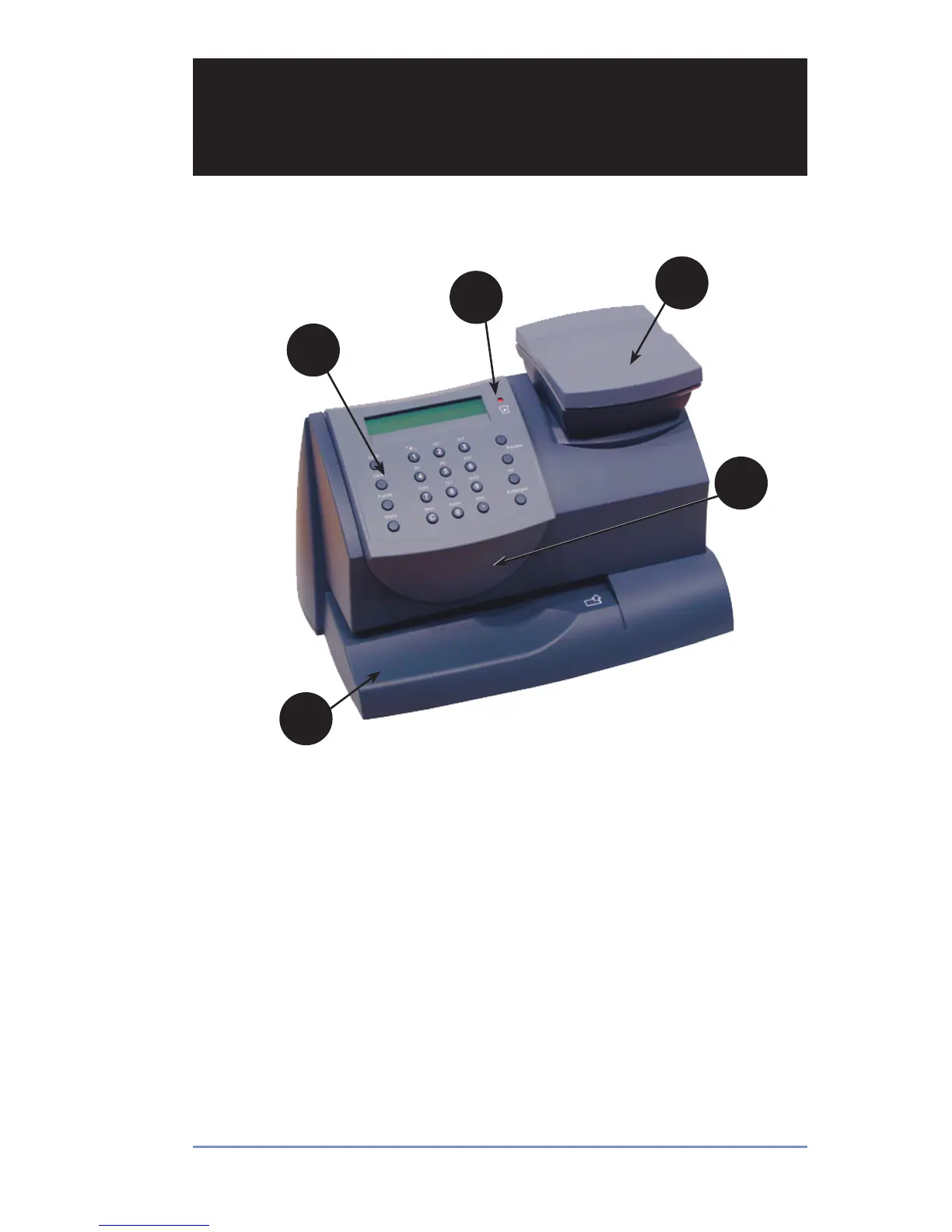
Digital Postage Meter–Front
1. Control Panel—allows you to enter and set up information on
your meter.
2. LED—lights amber when your postage meter is low on ink (one
blink indicates the postage meter is out of ink).
3. Scale (optional)—allows you to weigh a mail piece so the post-
age meter, using its internal rating feature, can calculate the cor-
rect postage.
4. Top Cover—opens up to allow replacement of the ink cartridge.
See Section 7 - Ink Maintenance for instructions.
5. Mail Deck—supports your envelope, post card or tape sheet as
you insert for printing.
5
4
Section 2
Getting to Know Your Postage Meter


 To Next Page