2-3SV61503 Rev. A
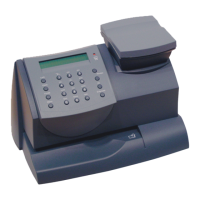
2 • Getting to Know Your Postage Meter
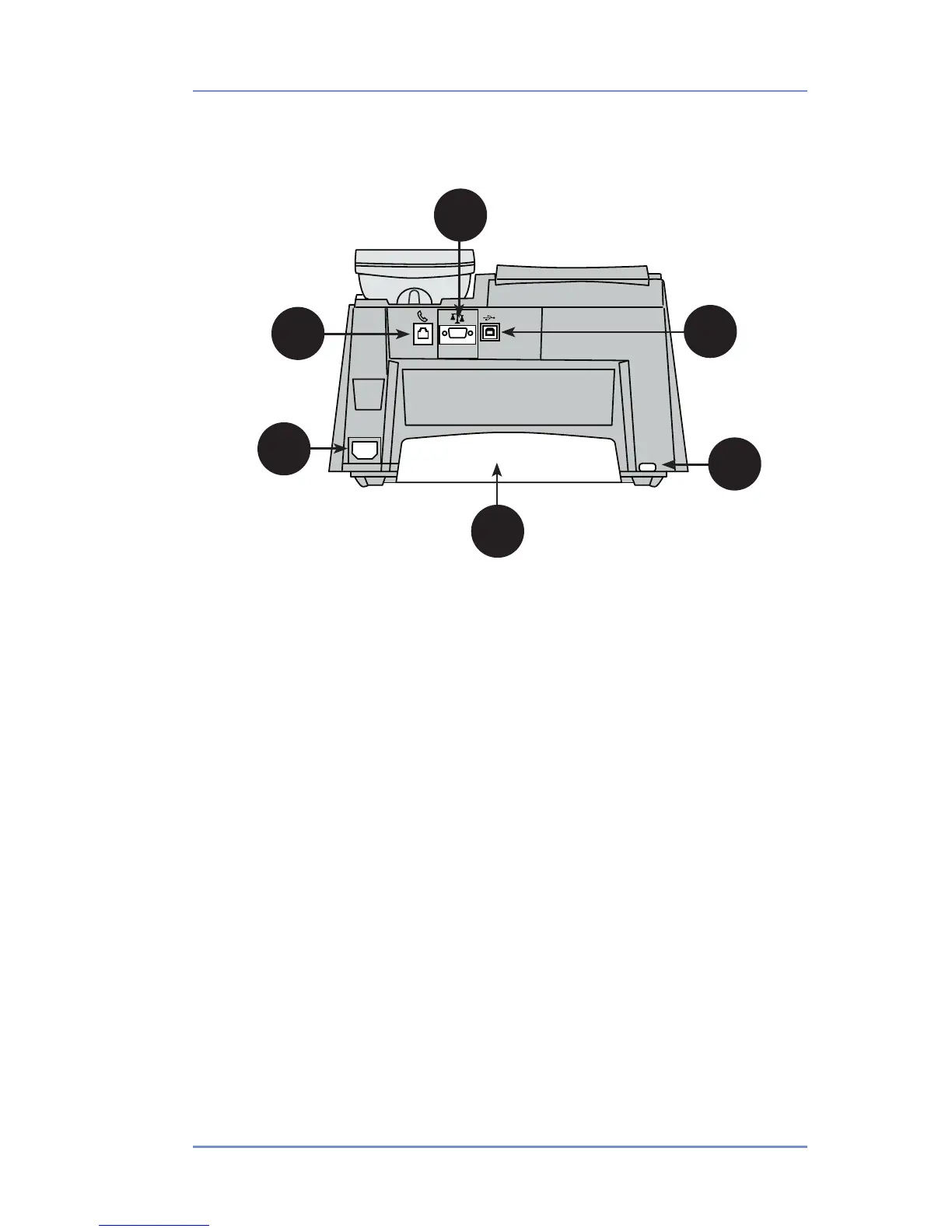
1. Phone Jack—allows you to connect to an analog phone line (the
same type of line that a Fax machine uses). The jack accepts a
standard RJ-11 phone plug (supplied). When your postage meter
is connected to an analog phone line, you can add postage any
time by pressing Funds and following the prompts. See Section 5
- Adding Postage for details.
2. Serial Port—allows you to connect the optional scale to weigh
your mail piece.
3. USB Port—for future optional features.
4. Power Receptacle—connects to AC power cord (supplied).
5. Ink Tray—holds excess ink that results from the printing pro-
cess. See Section 7 - Ink Maintenance for further details.
6. Ink Tray Lever—by sliding lever, it allows you to remove the ink
tray.
Digital Postage Meter–Rear
1
4
3
2
6
5


 To Next Page