5-2 SV61503 Rev. A
5 • Adding Postage/Connecting to Data Centre
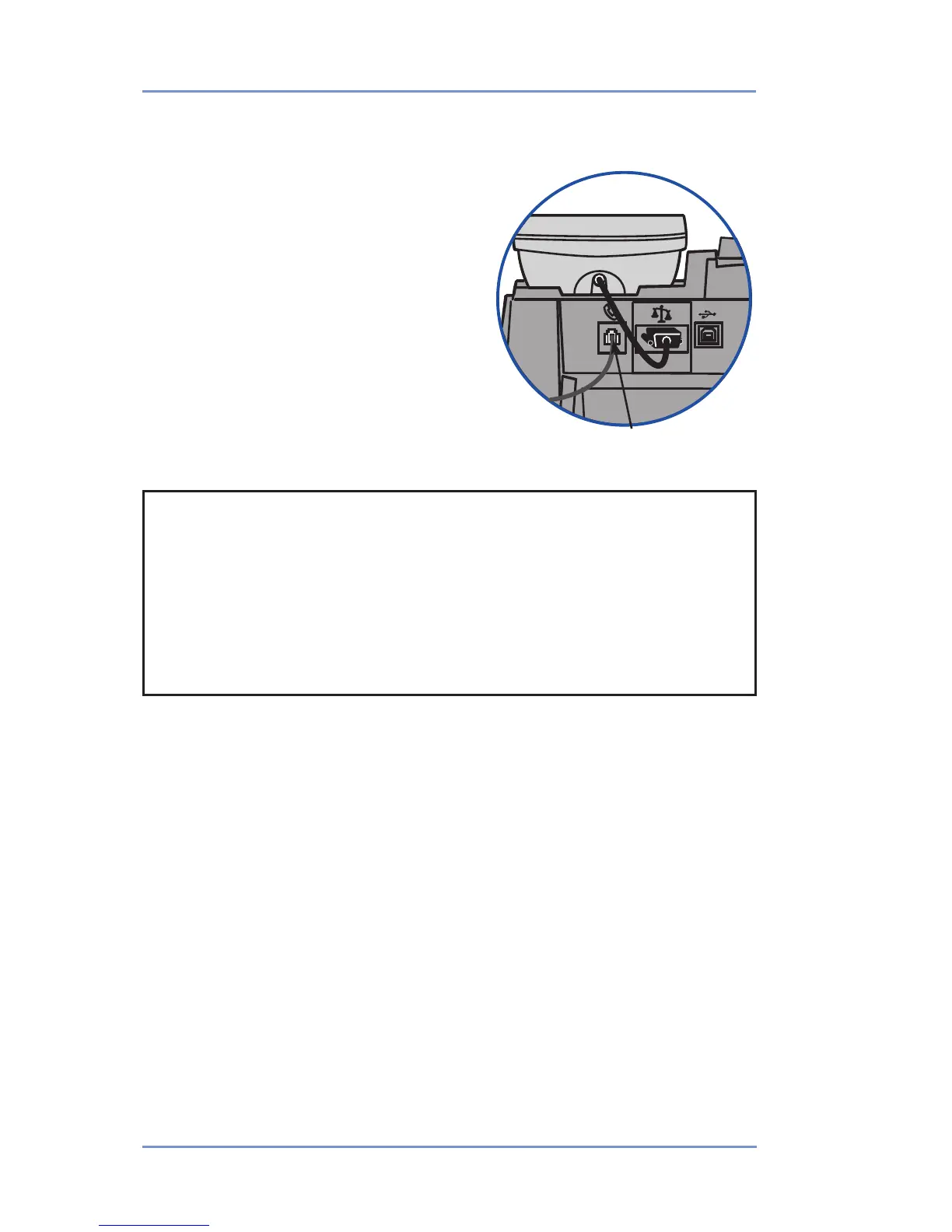
Plug phone line in here
Connecting Your Postage Meter to Analog Phone Line
Your postage meter must be con-
nected to an analog phone line to dial
in to the Pitney Bowes Data Centre
for any reason (add postage, check
the balance in your Pitney Bowes
Postage By Phone® account, etc.).
Plug the telephone line (supplied) into
the connector on the back of the
postage meter (see figure at right).
Remember to use a dedicated analog
phone line (your home phone is con-
nected to one).
IMPORTANT
• For printing postage, the postage meter does not have
to be connected to a phone line. However, if you add funds
frequently, we recommended you keep the meter connected to
an analog phone line.
• If you are using a DSL line you should use a DSL filter ob-
tained from your DSL provider.


 To Next Page