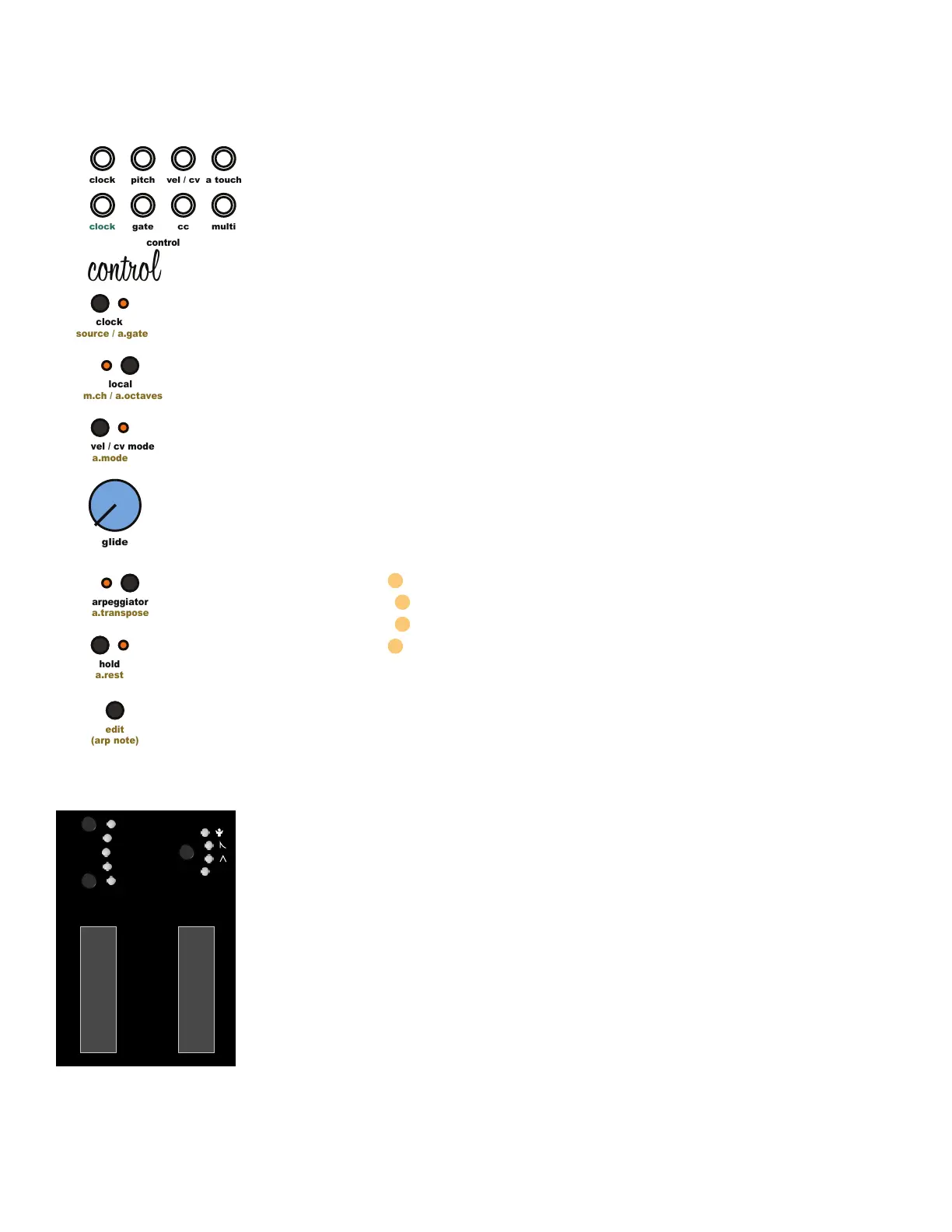
5.28 Multi-Function Tool:
The Multi-Function Tool is a digital voltage generator controlled the [Modulation Wheel] with
four modes that controls the [Multi Output Jack]. 0-5v Manual control, triangle LFO, decay
envelope, or clock sync’d random voltage. Press the [Multi-Function Button] above the [Modu-
lation Wheel] to cycle between modes.
1.Manual 0-5v Response
2. Triangle LFO - A clock sync’d LFO. The [Modulation Wheel] adjusts the amplitude of the LFO.
Press and hold the [Multi-Function Button] then adjust the [Modulation Wheel] to set the clock
division LFO Frequency.
3. Decay Envelope - A Note on triggered envelope. The MOD-WHEEL adjusts the amplitude of
the envelope. Press and hold the [Multi-Function Button] then adjust the [Modulation Wheel] to
set the envelope decay time.
4. Random Voltage - Random voltage generator. The MOD-WHEEL adjusts the amplitude of the
random voltage. Press and hold the [Multi-Function Button] then adjust the [Modulation Wheel]
to set the clock division density of the random voltage changes.
Multi-Function Tool Output Options
rnd Random Voltage
env Decay Envelope
lfo Clock Sync’d Triangle LFO
5v 0v to 5v Output
5.29 CC Output Jack CC Number Assign:
To set the active MIDI CC number, press and hold the [Edit Button] then press the [Multi-Function
Button]. While the buttons are pressed, the MIDI section assigns the active MIDI CC number
based on the last incoming MIDI CC message it receives. Simply move a mod wheel or
engage an input source on a MIDI controller to assign that MIDI CC number to the [CC Output
Jack]. The MIDI CC number is saved in memory and recalled when Taiga is powered on.
5.30 Pitch Bend Range Select:
There are 4 options for the pitch bend range. 2 semitones (+/- 2 notes), 4 semitones (+/- 3rd), 7
semitones (+/- 5th), 12 semitones (+/- 1 octave). Press and hold the [Edit Button] then press the
[Multi-Function Button] then move the pitch bend wheel to select the pitch bend range. The
pitch bend range can only be changed when arpeggiator mode is NOT active. The MIDI pitch
bend range is saved in memory and recalled when Taiga is powered on.
5 Control Module
clock
clock
pitch
cc
gate
control
edit
(arp note)
a.mode
vel / cv mode
a.transpose
arpeggiator
a.rest
hold
source / a.gate
clock
m.ch / a.octaves
local
glide
multi
a touch
vel / cv
control
lfo 1 range
oct +
lfo 2 range
oct -
p.wheel
multi-
function
5v



 To Next Page