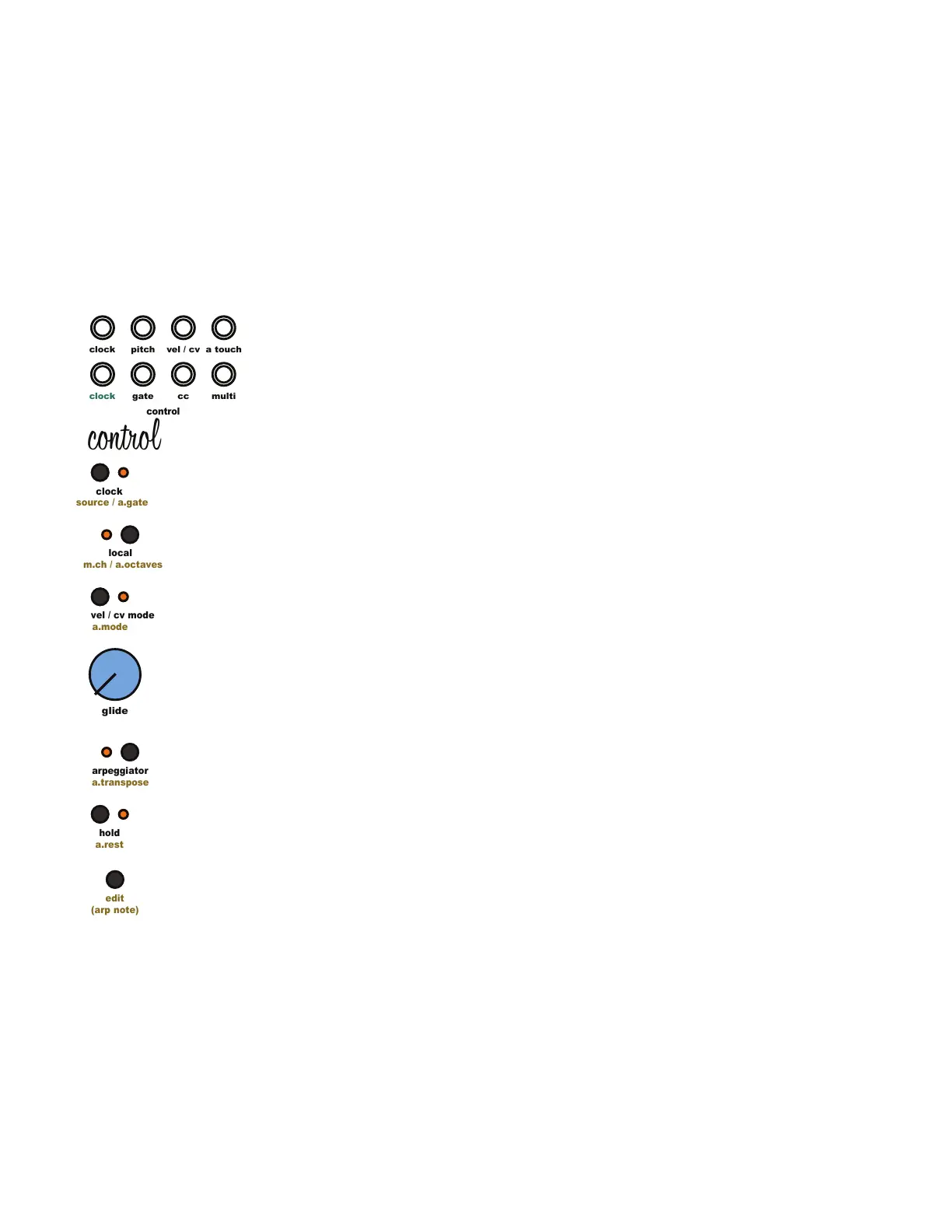
5.1 Control Module Overview
The Digital Control Functions built into the Taiga Keyboard include a MIDI to CV converter, tap
tempo clock source, local control, a 32 step sequencer/arpeggiator, glide, hold, multiple
velocity modes, and pitch and modulation wheels. This section will cover each of these
features in detail starting with the MIDI to CV converter but rst let’s discuss the user interface.
5.2 User Interface Conventions:
Each of the buttons in the Control section perform multiple functions. The main function, written
under each button in White, is performed by pressing the button. The secondary function,
written under each button in Yellow is performed by pressing and holding the [Edit Button] then
pressing the desired button.
5.3 MIDI to CV Converter Overview:
The MIDI to CV converter allows Taiga Keyboard to respond to digital MIDI messages from a
controller or DAW by converting digital MIDI data into analog control voltages. Taiga utilizes the
1volt per octave standard and responds to MIDI note on/off, MIDI note number 0-120, MIDI
clock, MIDI clock start/stop, MIDI pitch bend, MIDI modulation or control change messages,
and MIDI Velocity. By default, the MIDI channel of Taiga is set to omni, allowing the synthesizer
to respond to all MIDI channels.
The Taiga [MIDI Input Jack] and [MIDI Output Jack] on the rear of the instrument each use a
standard 5-Pin MIDI DIN for MIDI input.
5.4 MIDI to CV Converter Pitch:
Note pitch is routed internally from the MIDI section to control the pitch of the each oscillator.
MIDI pitch control can be enabled or disabled for each oscillator independently. This allows for
maximum exibility when patching. To enable or disable MIDI pitch control for an Oscillator,
press and hold the [Edit Button] then press the selected [Oscillator Seed Button]. This will toggle
MIDI pitch control on and off and modify the functionality and range of the [Oscillator Pitch
Knob]. Pitch Knob response is covered in the oscillator section.
5.5 MIDI to CV Converter Pitch Glide:
The [Glide Knob] adds portamento to the MIDI pitch creating smooth transitions between midi
notes. Turning the [Glide knob] to the right increases the length of time it takes to slide from one
not to the other.
5 Control Module
clock
clock
pitch
cc
gate
control
edit
(arp note)
a.mode
vel / cv mode
a.transpose
arpeggiator
a.rest
hold
source / a.gate
clock
m.ch / a.octaves
local
glide
multi
a touch
vel / cv
control



 To Next Page