5.6 MIDI Octave Offset:
The [Octave Up Button] and [Octave Down Button] located above the pitch wheel are used to
transpose the output of the MIDI pitch over a 7 octave range. Press [Octave Up Button] to shift
notes up 1 octave and [Octave Down Button] to shift notes down 1 octave. Transposing the
pitch only affects the pitch of oscillators with MIDI pitch control enabled.
5.7 MIDI to CV Converter Gate:
Note on and note off information is converted to a 5v or 0v gate signal. Note on = 5v. Note off
= 0v. The MIDI gate signal is internally routed to the gate input of ADSR 1, ADSR 2, and
Dynamics. This allows these modules to be triggered by the MIDI Gate signal without the need
for patch cables.
The [Hold Button] forces the gate to remain high (on) after a MIDI note off message is received.
The gate remains high until the hold function is disabled.
The MIDI Gate signal can be disabled for ADSR 1 and/or ADSR 2 by patching into the [ADSR
Input Jack]. This breaks the connection between the MIDI Gate and the ADSR input. The MIDI
Gate signal can be enabled or disabled for the Dynamics module. To enable or disable the
MIDI gate signal, press and hold the [Edit Button] then press the [Dynamics Mode Button]. This
will toggle MIDI gate signal to the Dynamics module on and off.
5.8 Clock Source Overview:
The Control module utilizes 4 clock sources: internal tap tempo, external MIDI, external gate,
and internal pseudo-random. The clock is used to advance the Arpeggiator, Mod-Tools output,
and Sample and Hold. To select the clock source, press and hold the [Edit Button] then press
the [Clock Button] to cycle through the 4 choices. Press once to check current mode. Press
again to advance through the available options. The clock source can only be changed when
Arpeggiator mode is NOT active.
Clock Source Options Shown On Oscillator 3 LEDs
rnd Random Internal Clock
ext External Gate
midi External MIDI Clock
int Internal Tap Tempo
5.9 Internal Tap Tempo Clock Source:
The internal clock source utilizes the [Clock Button] to modify the rate of the internal clock. Tap
the [Clock Button] to change the tempo of the clock. The internal clock rate is saved in
memory and recalled when Taiga is powered on. The [Control Clock Out Jack] functions as a
clock output source in internal tap tempo clock mode and outputs a outputs a +5v 10ms gate
signal.
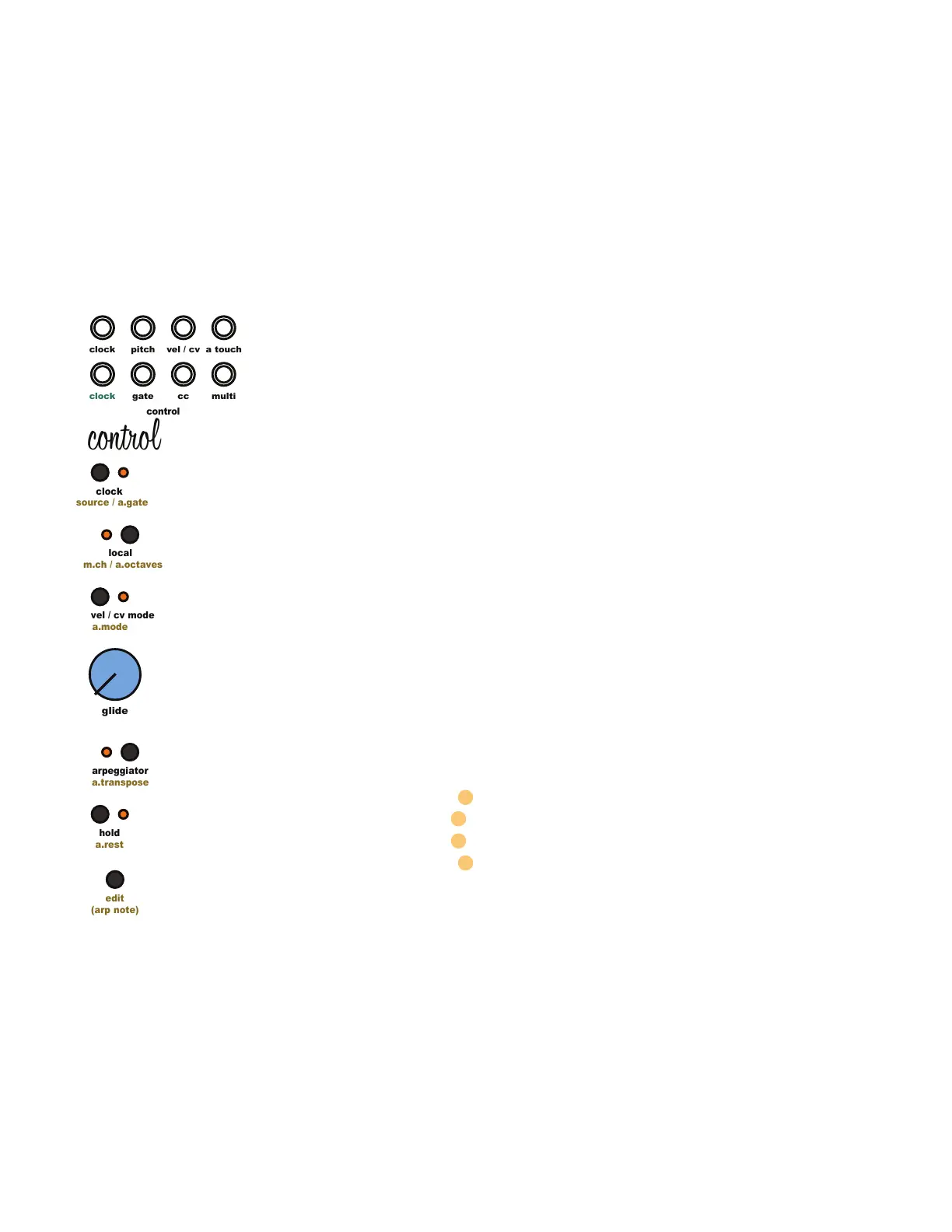
5 Control Module
clock
clock
pitch
cc
gate
control
edit
(arp note)
a.mode
vel / cv mode
a.transpose
arpeggiator
a.rest
hold
source / a.gate
clock
m.ch / a.octaves
local
glide
multi
a touch
vel / cv
control



 To Next Page