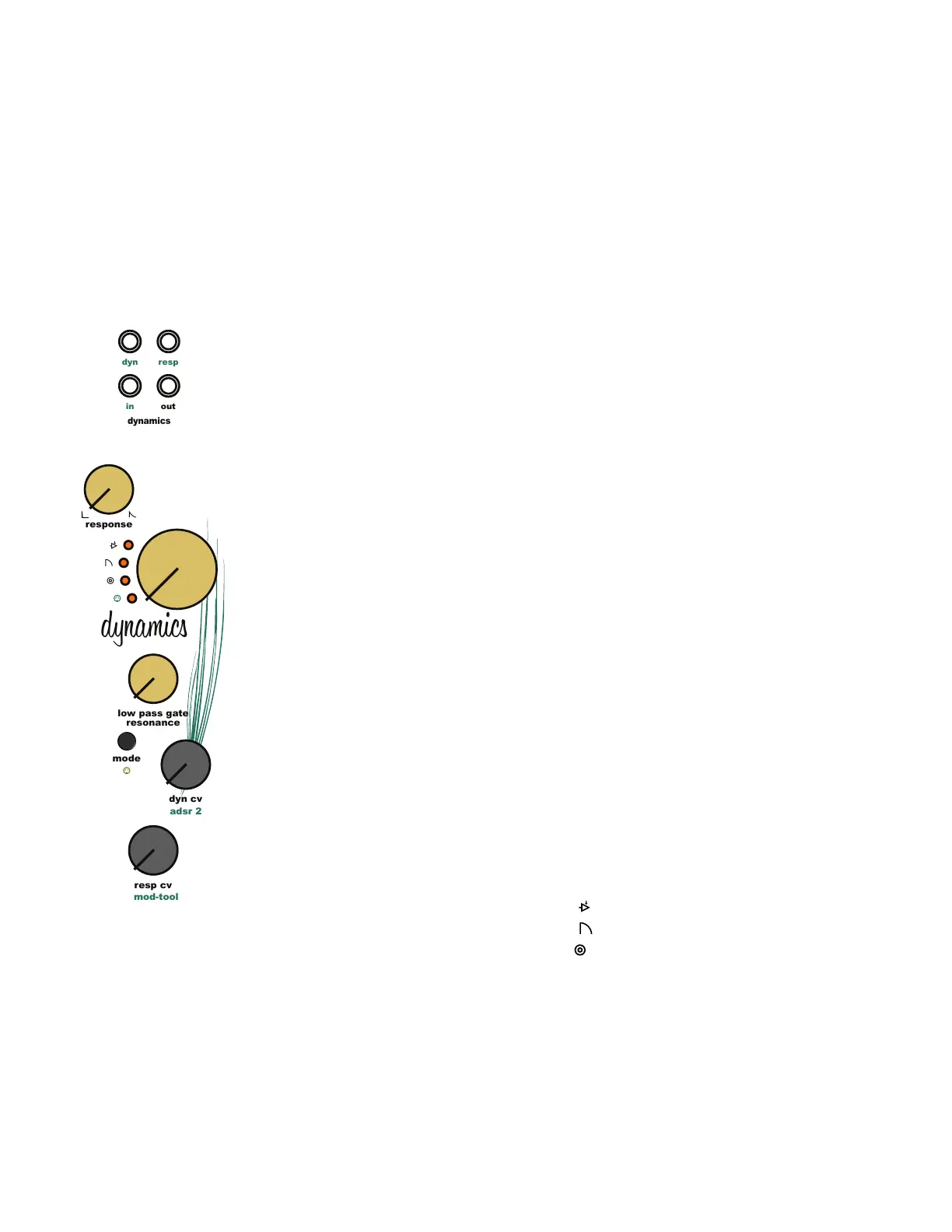
11.1 Dynamics Overview:
The Dynamics module plays a large part in shaping the output of Taiga by utilizing a unique
processing circuit that adds dimension to the sound. The Dynamics circuit is unique in the way
that it simulates the characteristics of the natural world. When used in lowpass gate mode,
louder sounds contain more harmonic content and quieter sounds contain less harmonic
content. This is not the case when using VCA mode. VCA mode simply changes the loudness
of the sound without modifying the harmonic content. There is no reason that synthesizers need
to simulate the real world but because of how it affects the harmonic content of sound, a
lowpass gate sounds more organic or natural compared to a standard VCA.
The old school lowpass gate was limited to a static response time that varied from unit to unit.
This made each lowpass gate a little different. The Dynamics module in Taiga expands beyond
the original concept by adding a unique, [Dynamics Response Knob] allowing for customizable
gate response times. The dynamics response time can be voltage controlled using the
[Dynamics Response CV Input Jack] and [Dynamics Response CV Knob].
The pluck response is available in low pass gate mode. The pluck response uses a sharp gate or
envelope signal to pluck or strike the Dynamics while taking advantage of the unique response
shape to create a percussive sound with a natural decay.
11.2 Dynamics MIDI Control:
MIDI gate control of the Dynamics module is optional and can be enabled or disabled. MIDI
control triggers the Dynamics module with MIDI note on/off messages. To enable or disable the
Dynamics MIDI response, press and hold the [Edit Button] then press the [Dynamics Mode
Button]. The corresponding yellow MIDI LED will illuminate to show that midi response is active.
11.3 Dynamics Processing Modes:
The Dynamics Controller offers 3 distinct audio processing modes. VCA, low pass gate, and
plucked low pass gate. Each mode creates a unique sound and feature set for signal
processing. Cycle through all the available Processing Modes by pressing the [Dynamics Mode
Button].
Dynamics Controller Processing Modes
1. VCA Mode [VCA LED]
2. Low Pass Gate Mode [Low Pass Gate LED]
3. Plucked Low Pass Gate Mode [Pluck and Low Pass Gate LED]
11 Dynamics Module
adsr 2
dynamics
out
resp
dyn
in
resp cv
dyn cv
response
mod-tool
low pass gate
resonance
dynamics
mode



 To Next Page