DX2
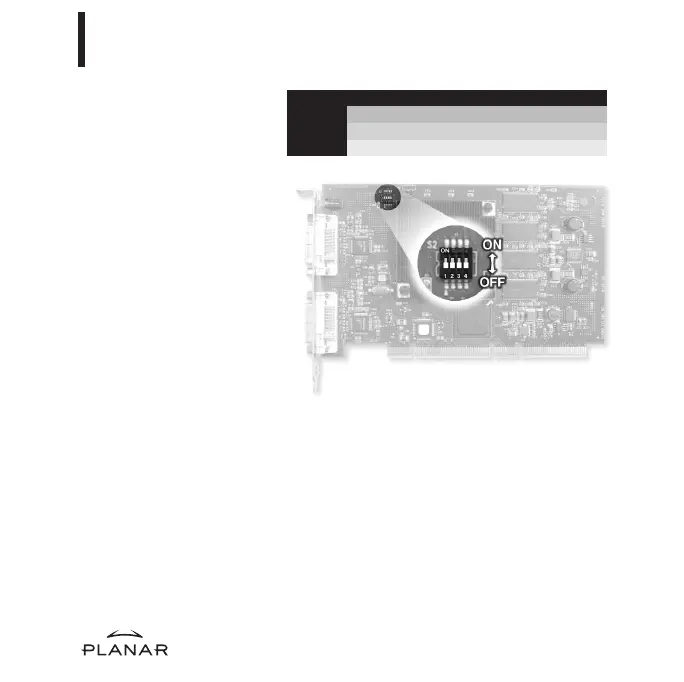
DIP Switch S2 Function Position
1VGAON
2 VESA ON
3 Single desktop ON
If you are installing the DX2
display controller, you will need
to set DIP switch S2 for your
system configuration.
Slide switch 1 into the ON
position to enable VGA mode.
Enable VGA on only one (1)
board when you install multiple
boards. Disable VGA on all
boards if you are using
a separate VGA card.
For some Dell systems, you
may need to enable VESA
modes in order to see output
on the screen. If so, slide
switch 2 into the ON position.
For single desktop mode, slide
switch 3 into the ON position.
4
Setting DIP Switch S2
2
EX-QSUG-1_grey 10/18/05 2:07 PM Page 4



 To Next Page