Before you install the DX2 or AX3 display
controller, turn your computer off. Leave the
power cord plugged into the grounded outlet.
To install the controller
1 Turn off all peripherals. Disconnect all cables
from the back of your computer.
2 Remove the computer cover.
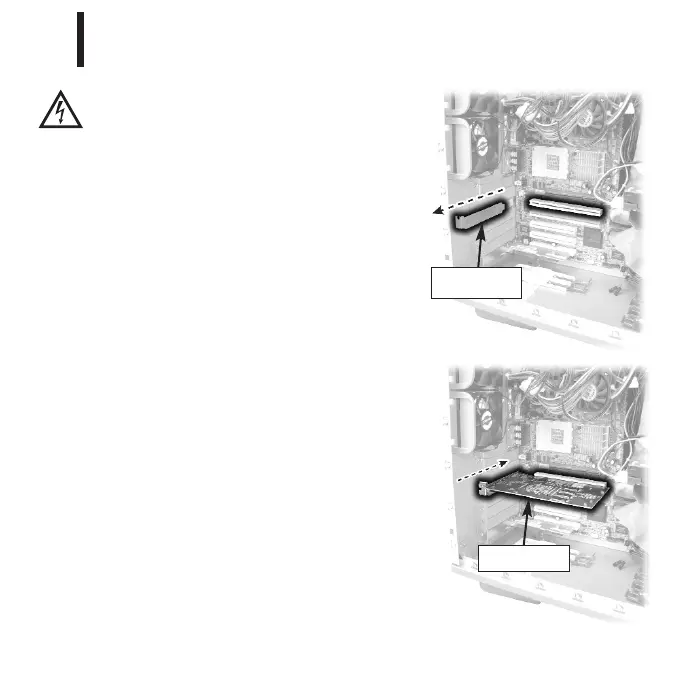
3 Remove the blank bracket from the
available PCI or PCI Express slot.
4 Insert the display controller into the slot,
align the connector pins, and press the
board down until it is firmly seated.
5 Secure the mounting bracket.
6 Reattach the computer cover and the peripherals.
When installing multiple display controllers,
install all boards before you install the driver.
Display controller
installed
5
Installing the Display Controller
3
Remove blank
bracket
EX-QSUG-1_grey 10/18/05 2:07 PM Page 5



 To Next Page