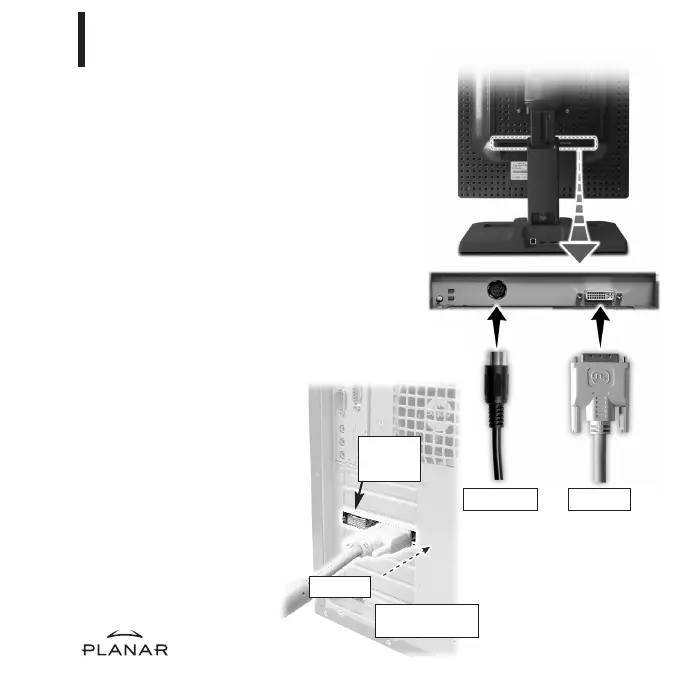
Connection for
a single display
DVI cable
DVI cable
Display
controller
installed
Use only the cable and power cord
supplied with the Dome EX display.
1 Press the PUSH button on the desk
stand cover and remove the stand
cover.
2 Plug one end of the DVI cable into
the DVI connector port. Tighten
the thumbscrews to secure the
connection.
3 Plug the power cord into the
power input port.
4 Plug the other end of the DVI
cable into the video port on
the installed display controller.
Use DVI port #1 if you are installing
only one display.
5 Plug the other end of the power
cord into a grounded outlet.
6 Reattach the stand cover.
7 Power on your display first,
then the computer.
6
Connecting the Board, Display, and Power Supply
4
Power cable
EX-QSUG-1_grey 10/18/05 2:07 PM Page 6



 To Next Page