LB2650W User’s Guide 020097300 Rev. A 13
Function Description
Figure Function Function Description
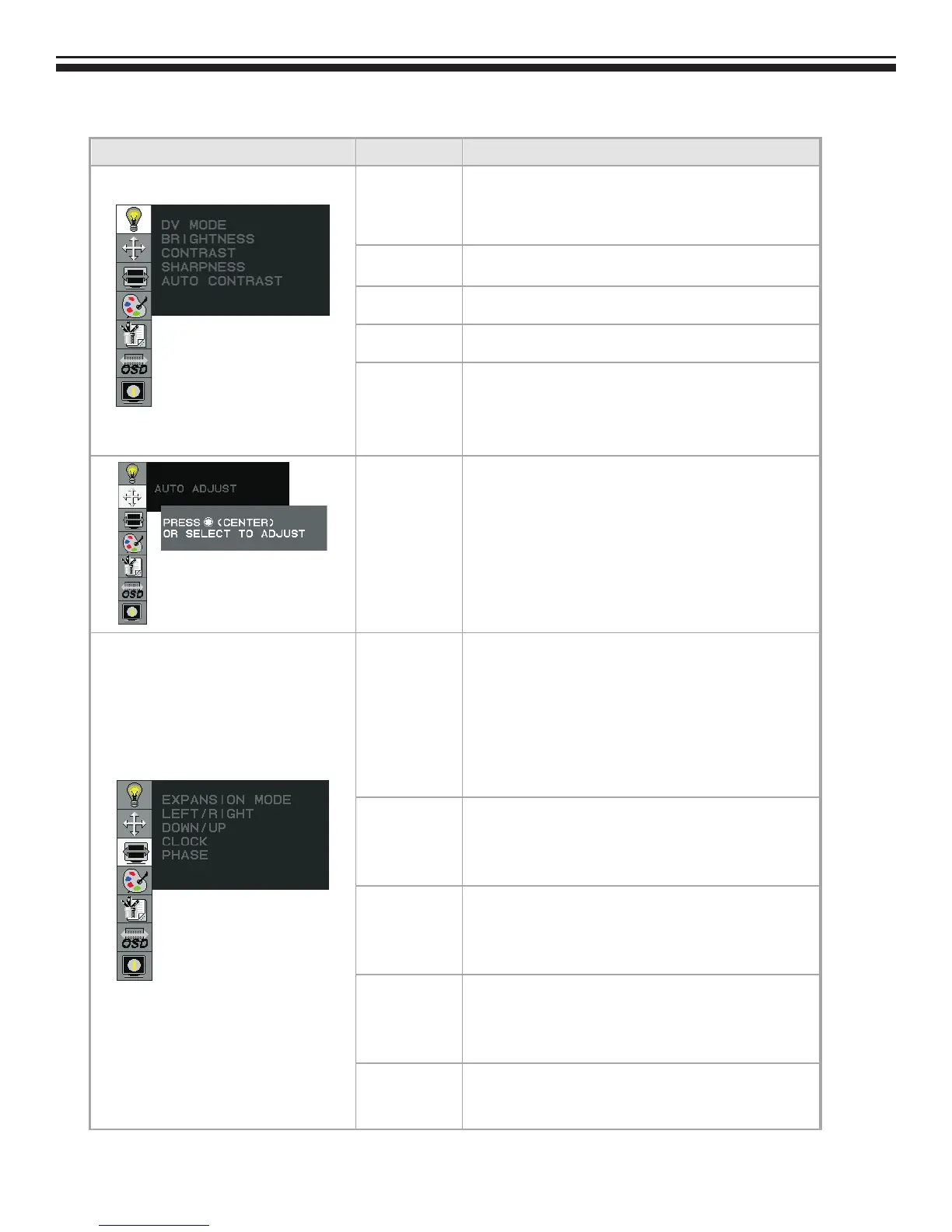
DV MODE
The following DV mode display setting can be selected
by OSD
(STANDARD/TEXT/sRGB/MOVIE/GAMING/PHOTO)
Default setting: TEXT
BRIGHTNESS
Adjust the brightness.
Factory setting: 100.0%
CONTRAST
Adjust the image contrast.
Factory setting:50.0%
SHARPNESS
Adjust the sharpness.
Factory setting: 50%
AUTO
CONTRAST
(D-SUB or DVI-I
Analog signal
Only)
Adjust the CONTRAST to the optimal value for the
video-input level automatically.
AUTO ADJUST
(D-SUB or DVI-I
Analog Input
Only)
Adjust the H.POSITION, V.POSITION, H-SIZE and FINE to
the optimal value automatically.
EXPANSION
MODE
This function allows you to choose from different
display modes:
Full: expands all resolution to full screen.
Aspect: enlarges native resolution to either horizontal
or vertical limit.
Real: displays native resolution.
Default setting: FULL
LEFT/RIGHT
(D-SUB or DVI-I
Analog Input
Only)
Adjust the horizontal image position.
DOWN/UP
(D-SUB or DVI-I
Analog Input
Only)
Adjust the vertical image position.
CLOCK
(D-SUB or DVI-I
Analog Input
Only)
Adjust the sync frequency of internal pixel clock.
PHASE
(D-SUB or DVI-I
Analog Input
Adjust the value for improve display focus.



 To Next Page