6
SPECIAL NOTES ON LCD MONITORS
The following symptoms are normal with LCD monitor and do not indicate a problem.
NOTES AND CLEANING
• Due to the nature of the uorescent light, the screen may icker during initial use. Turn o
the Power Switch and then turn it on again to make sure the icker disappears.
• You may nd slightly uneven brightness on the screen depending on the desktop pattern
you use.
• The LCD screen has eective pixels of 99.99% or more. It may include blemishes of 0.01%
or less such as a missing pixel or a pixel lit all of the time.
• Due to the nature of the LCD screen, an after image of the previous screen may remain
after switching the image, when the same image is displayed for hours. In this case, the
screen is recovered slowly by changing the image or turning off the Power Switch for
hours.
• When the screen becomes black or ashing, or cannot illuminate any more, contact your
dealer or service center to replace parts. Don’t repair the screen by yourself!
• To keep the monitor looking new, periodically clean it with a soft cloth. Stubborn stains
may be removed with a cloth lightly dampened with a mild detergent solution. Never use
strong solvents such as thinner, benzene, or abrasive cleaners, since these will damage
the cabinet. As a safety precaution, always unplug the monitor before cleaning it.
• Do not scratch the screen with hard things as it may cause permanent damage.
• Do not allow liquids into monitor as it will result in component damage.
| BEFORE YOU OPERATE THE MONITOR
FEATURES
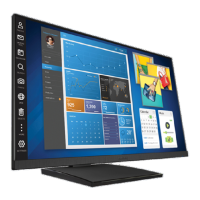
• 23.8” (60.4 cm) Wide Screen TFT Color Monitor
• 16:9 Widescreen
• Crisp, Clear Display for Windows
• Recommened Resolutions: 1920*1080@60Hz
• LED backlit, energy ecient
• Ergonomic Design
• Space Saving, Compact Case Design
• USB 3.0


 To Next Page