Page 54
IPP Client Setup - Windows 2000, XP and Server 2003
Windows 2000, XP and Server 2003 have their own IPP Client, and there is no need
to install the supplied IPP Client Software. To use Windows 2000/XP/Server 2003's
IPP Client with the Print Server, follow this procedure:
1. Start the Add Printer wizard.
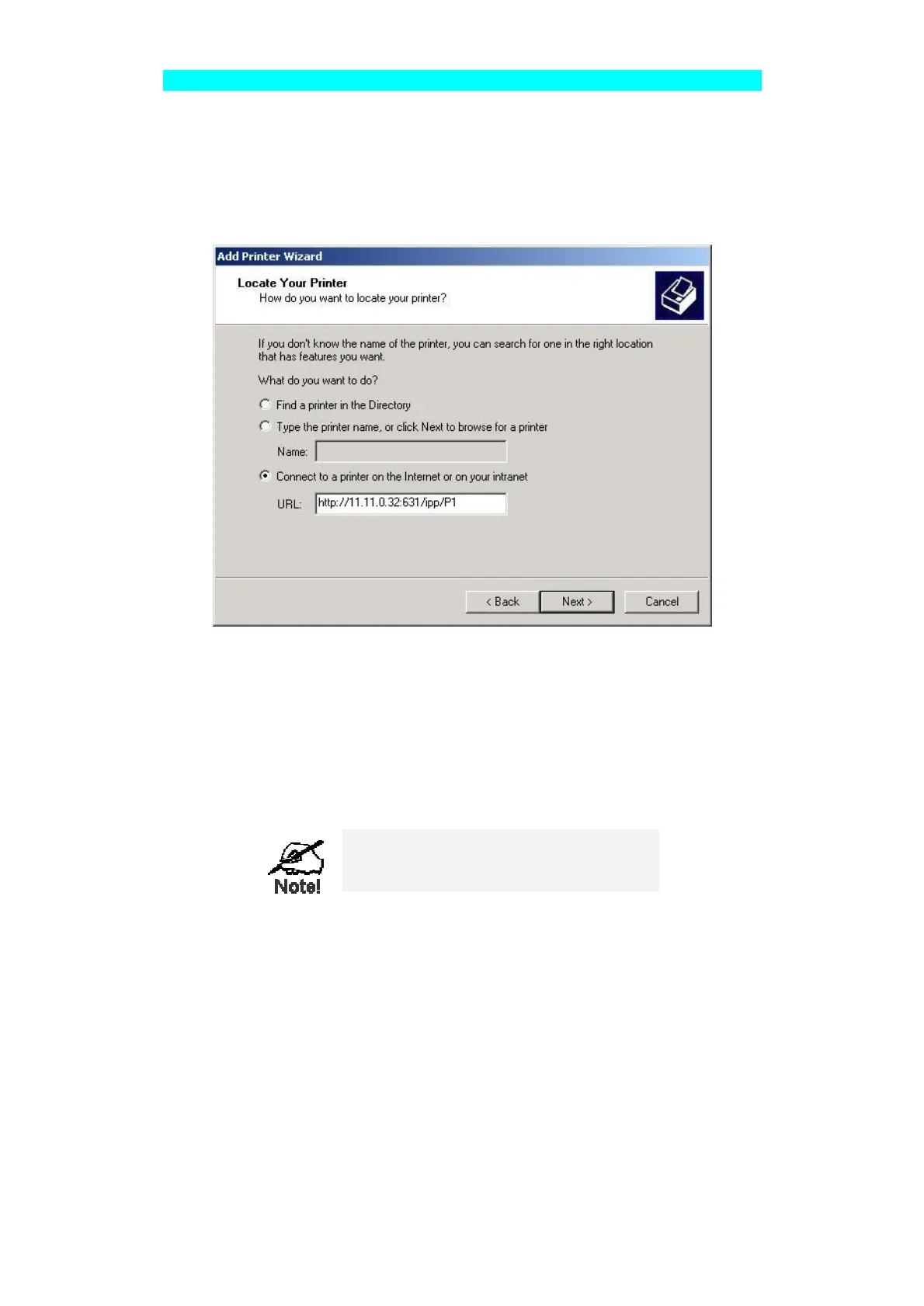
2. Select Network Printer, and click "Next" to see the Locate your Printer screen, as
shown below.
Figure 19: Windows 2000 - Locate your Printer
3. Select Connect to a printer on the Internet or on your Intranet, and enter the URL
of the IPP Server as follows, where IP_Address represents the IP Address of the
IPP Server, and 631 is the port number.
Parallel Port 1
Ip_Address:631/ipp/P1
Parallel Port 2 (if exists)
Ip_Address:631/ipp/P2
Parallel Port 3 (if exists)
Ip_Address:631/ipp/P3
These entries are case sensitive. They must be
entered as shown, with "ipp" in lower case, and
P1, P2 and P3 in UPPER case.
4. If the connection can be established, and the printer on that port is on-line, the
following dialog will be displayed.



 To Next Page