- 1 -
- 2 -
- 3 -
- 4 -
- 5 -
- 6 -
- 7 -
- 8 -
1. Package Contents
Check the contents of your package for following parts:
● FastEthernetSwitchx1
● User'sManualx1
● PowerAdapterx1
● RubberFeetx4
Ifanyofthesearemissingordamaged,pleasecontactyour
dealer immediately, if possible, retain the carton including
the original packing material, and use them against to
repacktheproductincasethereisaneedtoreturnittous
for repair.
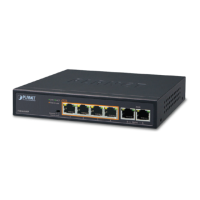
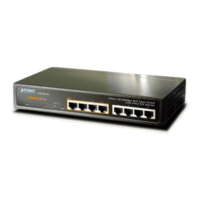
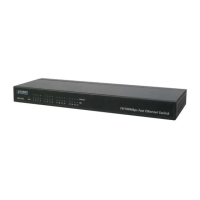
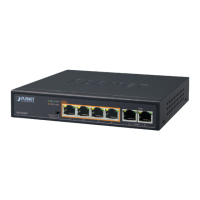
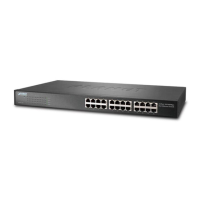
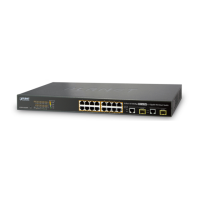
3. Switch Front Panel
Figure 1-1 & 1-2 & 1-3 shows a front panel of FSD-503 /
FSD-803/FSD-1603.
Figure 1-1 FSD-503 front panel
Figure 1-2 FSD-803 front panel
Figure 1-3 FSD-1603 front panel
6. Installing the Switch
ThispartdescribeshowtoinstallyourFastEthernet Switch
andmakeconnectionstoit.Pleasereadthefollowingtopics
andperformtheproceduresintheorderbeingpresented.
This Switch does not need software
configuration.
Desktop Installation
To install the Switch on desktop, simply follow the next
steps:
Step1: Attach the rubber feet to the recessed areas on
thebottomoftheSwitch.
Step2: Place the Switch on desktop near an AC power
source.
Step3: KeepenoughventilationspacebetweentheSwitch
andthesurroundingobjects.
When choosing a location, please keep in
mind the environmental restrictions discussed
inChapter7.ProductSpecifications.
5. Switch Rear Panel
Figure 1-4 & 1-5 & 1-6 shows a rear panel of FSD-503 /
FSD-803/FSD-1603.
Figure 1-4 FSD-503 rear panel
Figure 1-5 FSD-803 rear pane
Figure 1-6 FSD-1603 rear panel
2. Product Features
● ComplywithIEEE802.3,10Base-T,IEEE802.3u100Base-
TXEthernetstandards
● 5/8/16-Port10/100MbpsFastEthernetports
● Features Store-and-Forward mode with wire-speed
lteringandforwardingrates
● Hardware based 10/100Mbps, half / full duplex, ow
controlandauto-negotiation
● IEEE 802.3x ow control for full duplex operation and
Backpressureforhalfduplexoperation
● Integratedaddresslook-upengine,support2/8Kabsolute
MACaddresses
● 384K/448Kbitspacketbuffermemory(FSD-503/803)
● Onepoweron/offbuttonforenergysaving(FSD-503/803)
● 4Mbiton-chipframebuffer(FSD-1603)
● Automaticaddresslearningandaddressaging
● SupportsAutoMDI/MDI-Xfunction
● SupportCSMA/CDprotocol
● Externalpoweradapter12V0.5A(FSD-503/803)
● Externalpoweradapter12V1A(FSD-1603)
● FCC,CEclassAcompliant
4. LED Indicators
FSD-503/FSD-803
LED Color Function
PWR Green Lit:Poweron.
LNK/ACT Green
Lit:indicatethelinkthroughthatport
issuccessfullyestablished.
Blink:indicatethattheSwitchis
activelysendingorreceiving
dataoverthatport.
FSD-1603
LED Color Function
PWR Green Lit:Poweron.
10/100 Green
Lit:indicatethattheportisoperating
at100Mbps.
Off:indicatethattheportisoperating
at10Mbps.
Blink:indicatethattheSwitchis
activelysendingorreceiving
dataoverthatport.
1.Thedeviceisapower-requireddevice,it
means,itwillnotworktillitispowered.If
yournetworksshouldactiveallthetime,
pleaseconsiderusingUPS(Uninterrupted
PowerSupply)foryourdevice.Itwill
preventyoufromnetworkdatalossor
networkdowntime.
2.Insomearea,installingasurge
suppressiondevicemayalsohelptoprotect
yourSwitchfrombeingdamagedby
unregulatedsurgeorcurrenttotheSwitch
orthepoweradapter.
Step4: ConnectyourSwitchtonetworkdevices.
A.Connect one end of a standard network cable
to the 10/100 RJ-45 ports on the Back of the
Switch.
B.Connect the other end of the cable to the
network devices such as printer servers,
workstations or routers…etc.
Step5: SupplypowertotheSwitch.
A.Connect one end of the power cable to the
Switch.
B.Connect the 12V DC power adapter to a
standardwalloutlet.
When the Switch receives power, the Power LED should
remainsolidGreen.

 Need help?

 To Next Page
 General