Need help?
Do you have a question about the Planet FSD-1008HP and is the answer not in the manual?
Details the items included in the product package for user verification.
Provides an overview of the FSD-1008HP, its role, and key capabilities.
Highlights the main features and technical capabilities of the FSD-1008HP switch.
Lists detailed technical specifications, including hardware, performance, and environmental parameters.
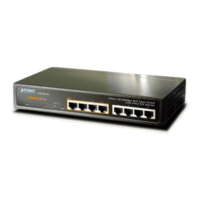
Details the front panel layout, including RJ45 ports, LED indicators, and the DIP switch.
Describes the rear panel, focusing on the AC power inlet and important operational notes.
Provides step-by-step instructions for installing the switch in a desktop environment.
Guides users through the process of mounting the switch securely in a 19-inch rack.
Explains the procedure for mounting the FSD-1008HP device onto a wall.
Provides solutions for troubleshooting when the Link LED on the switch is not lit.
Offers steps to resolve issues related to irregular network traffic on 100BASE-TX ports.
Guides users on how to resolve problems preventing the switch from connecting to the network.
Addresses troubleshooting steps for devices that are not powering on when connected via PoE.
Clarifies the power output capabilities and standards for each PoE-enabled port on the switch.
Details the pin assignments for RJ45 connectors used for MDI and MDI-X connections.
 General
| Total PoE Budget | 120 Watts |
|---|---|
| Jumbo Frame | 9KB |
| Power over Ethernet (PoE) | IEEE 802.3af/802.3at |
| VLAN Support | Port-based VLAN |
| Quality of Service | 4 priority queues |
| Management | Web, SNMP |
| Power Supply | 100~240V AC, 50/60Hz |
| Operating Temperature | 0 to 50°C |
| Storage Temperature | -10~70 degrees C |
| Humidity | 5% to 90% (non-condensing) |
| Ports | 8x 10/100/1000BASE-T PoE ports, 2x Gigabit SFP slots |


 To Next Page