Need help?
Do you have a question about the Planet POE-400 and is the answer not in the manual?
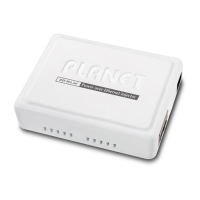
Lists the contents of the POE-400 package, including the hub, manual, adapter, and cord.
Explains the POE-400's compliance with IEEE standards and its function as a 4-port injector.
Details the key features of the POE-400, such as compliance, port count, and indicators.
Provides technical specifications for the POE-400, including model, connectors, data rate, and dimensions.
Shows a visual overview of the POE-400's front, top, and rear panels, with LED definitions.
Advises checking the network environment and understanding the POE-400's power injection mechanism.
Illustrates connection architectures and co-working examples with other PLANET devices and third-party equipment.
Explains using a POE splitter (POE-152S) to connect non-IEEE 802.3af devices.
Provides a solution for the PoE LED not illuminating, suggesting checking cable connections.
Offers troubleshooting steps for devices not powering on, checking cable type and IEEE 802.3af compliance.
Details the RJ-45 pin assignments for MDI and MDI-X interfaces for 10/100Base-TX.
Shows the color coding and pin allocation for standard straight-through and crossover Ethernet cables.


 To Next Page
 General