Enterprise HD PoE IP Phone
VIP-2020PT
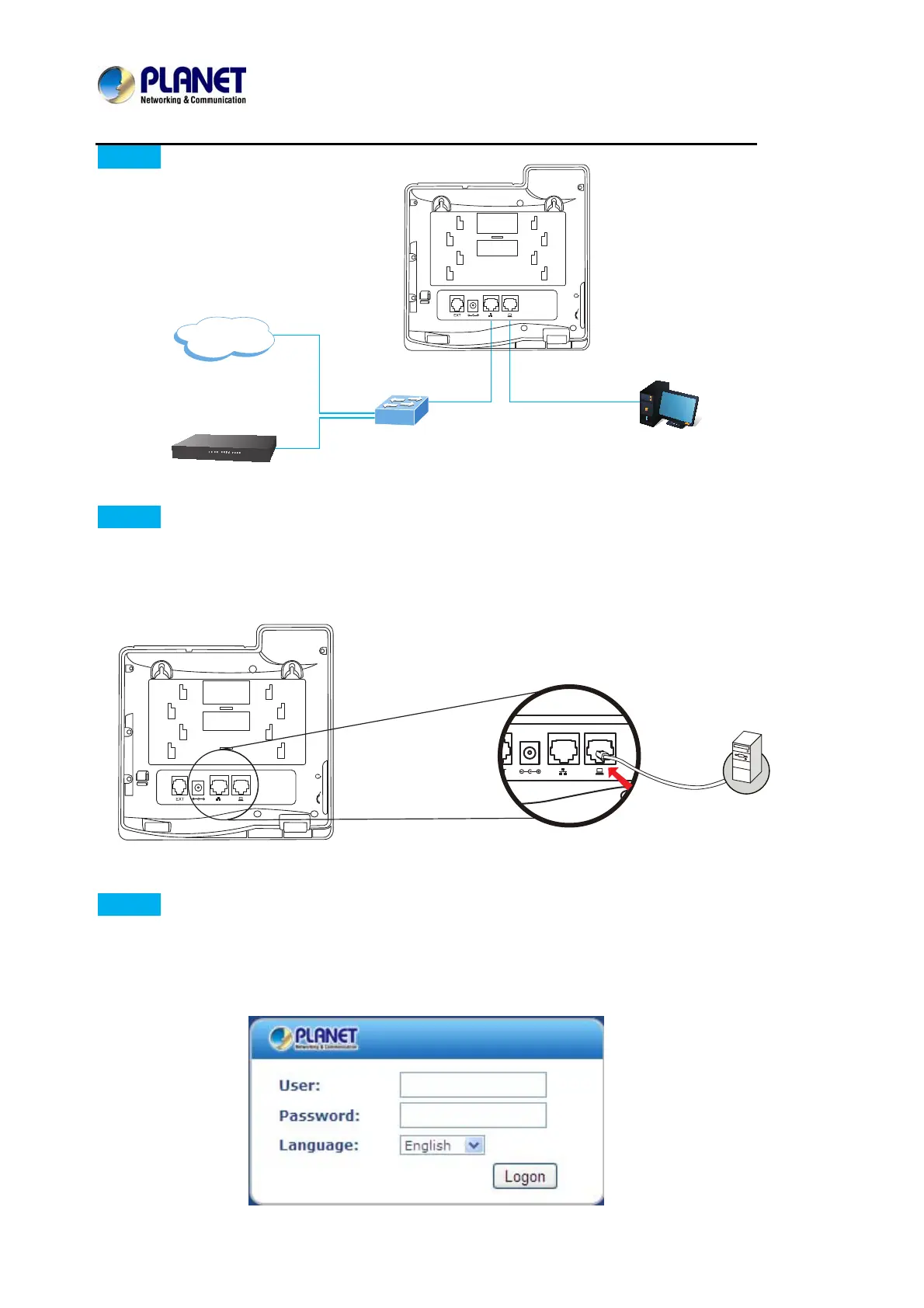
Step 3. Connecting Network
Step 4. Computer Network Setup
Set your computer’s IP address to 192.168.0.x, where x is a number between 2 to 254 (except 1
where is being used for the phone by default). If you don’t know how to do this, please ask your
network administrator. Connect your PC to VIP-2020PT PC port.
Step 5. Login Prompt
Use web browser (Internet Explorer 6.0 or above) to connect to 192.168.0.1 (type this address in
the address bar of web browser).
You’ll be prompted to input user name and password: admin and 123
Internet
IP PBX
Ethernet Switch
PC



 To Next Page