Enterprise HD PoE IP Phone
VIP-2020PT
2 Initial Connection and Login
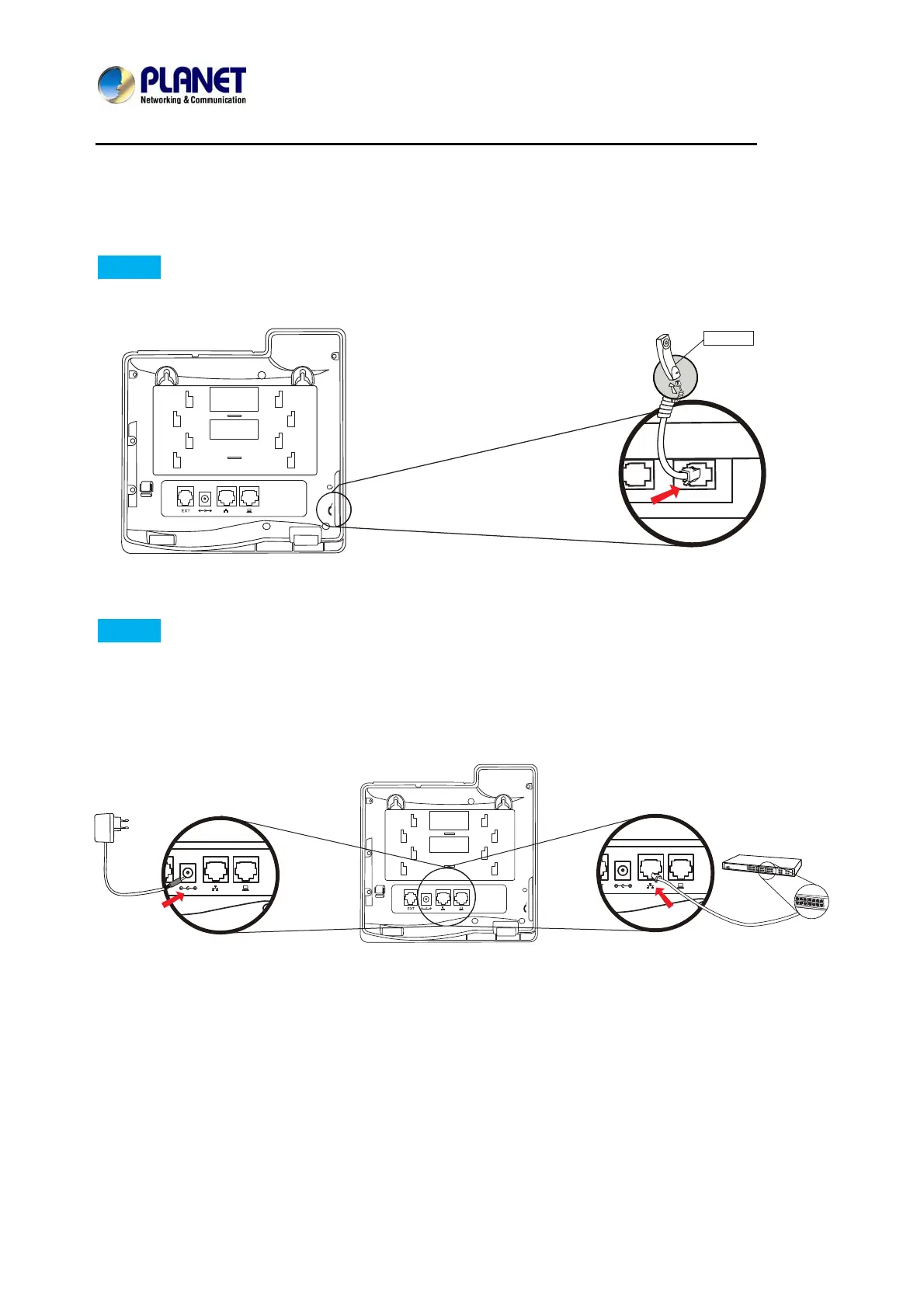
Step 1. Handset Connection
Plug one end of the handset cord into the handset and the other end into the handset jack
Step 2. Connecting Power System
The VIP-2020PT can be powered either by external AC/DC adapter or by connecting to an
IEEE802.3af/at PSE device such as 802.3af injector/hub or 802.3af/at POE switch.
Once the VIP-2020PT is powered, the LCD screen will prompt for POST.
Note1: Use only the power adapter shipped with the
unit to ensure correct functionality
Note2: Only WAN supports POE.
Handset



 To Next Page