Enterprise HD PoE IP Phone
VIP-2020PT
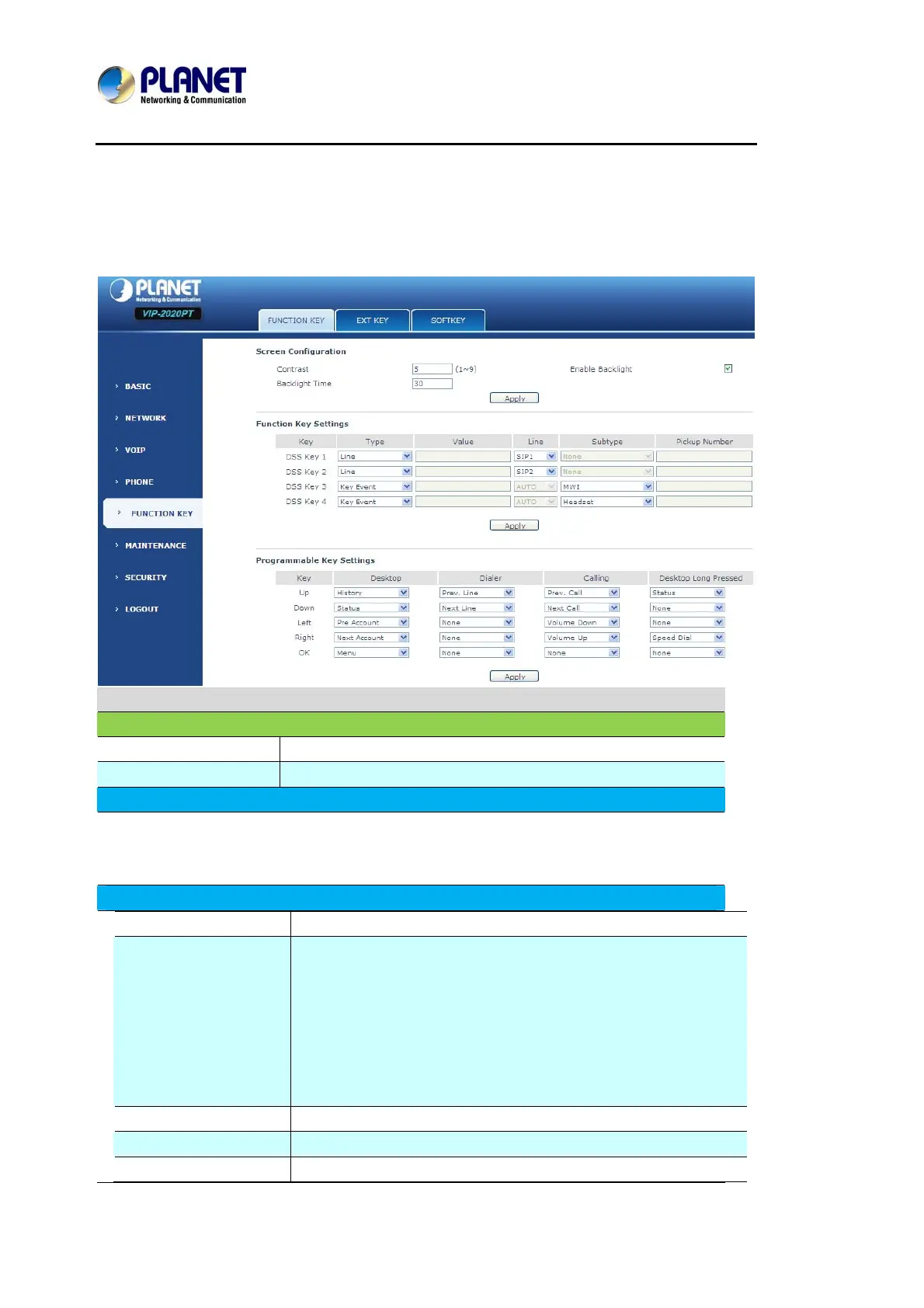
8.3.5 FUNCTION KEY
8.3.5.1 FUNCTION KEY
Function Key
Field name Explanation
Contrast Set contrast of screen.
Enable Backlight Set enable/disable backlight.
Line Key Settings
Line: select Auto, SIP1, SIP2 or IAX2 in function key type. After User set it, User pick up
handset or hands-free, press this function key, and then User can use the corresponding
SIP line.
Function Key Settings
key Show the function key's serial number.
Type
Memory Key: settings can be stored in key storage for each
number, the standby or off-hook, select the function keys on
the keyboard can call this number.
Line, set the dial mode (Auto, SIP1, SIP2, IAX2).Key Event
functions, monitor state.
DTMF: In the call, send DTMF.
URL: User can input remote book url.
Value Set the type parameter values.
Line Choose which lines to use this feature.
Subtype Select the function parameters Key Event and Memory Event.



 To Next Page