Enterprise HD PoE IP Phone
VIP-2020PT
Status
Field name Explanation
Network Shows the configuration information on WAN and LAN port,
including the connect mode of WAN port (Static, DHCP, PPPoE),
MAC address, the IP address of WAN port and LAN port, ON or
OFF of DHCP mode of LAN port and bridge mod
Accounts Shows the phone numbers provided by the SIP LINE 1-2 servers
and IAX2.
The last line shows the version number and issued date.
8.3.1.2 WIZARD
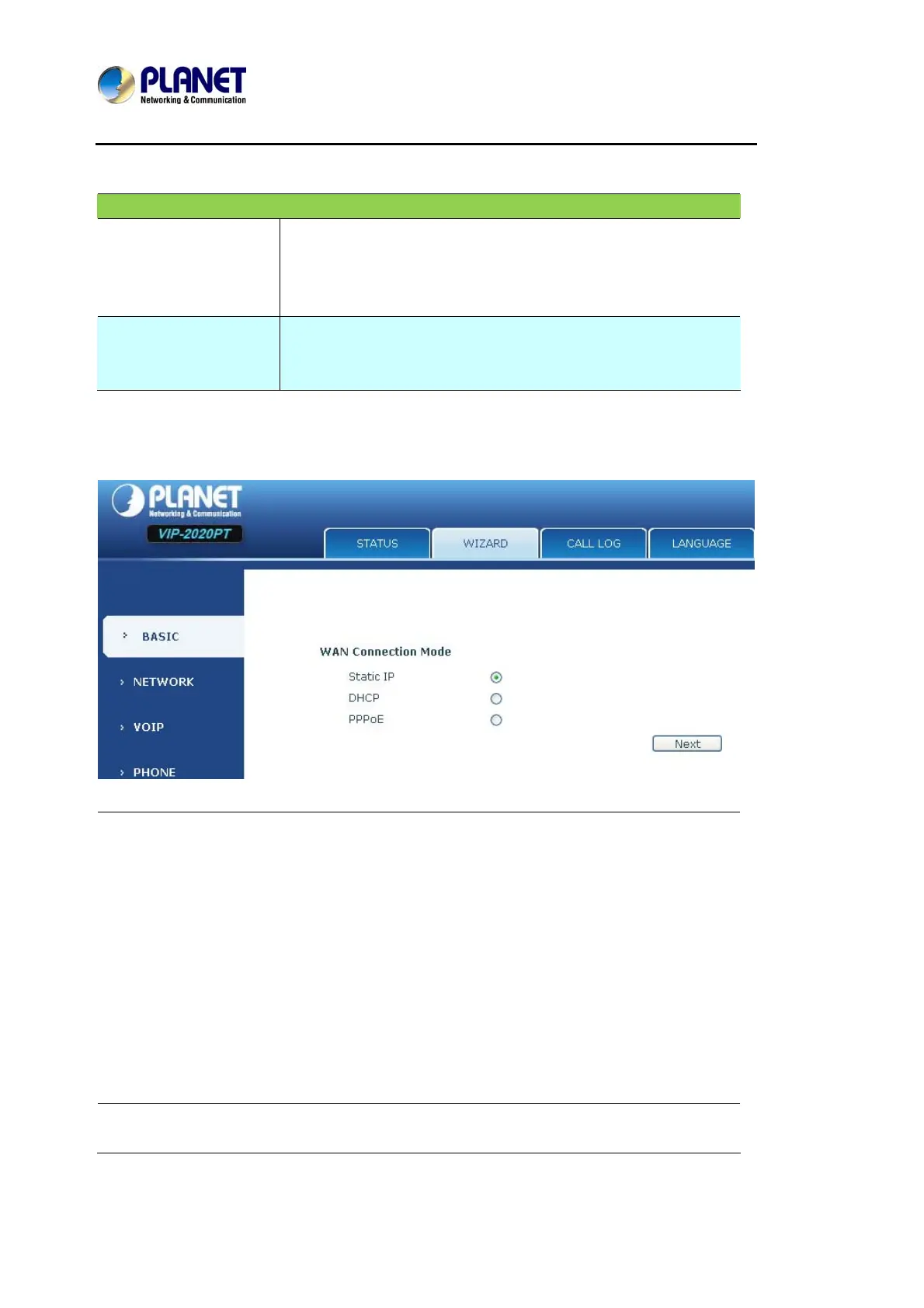
Wizard
Please select the proper network mode according to the network condition. The
VIP-2020PT provides three different network settings:
z Static: If User ISP server provides User with the static IP address, please select this
mode, and then finish Static Mode setting. If User doesn’t know about parameters of
Static Mode setting, please refer to User ISP.
z DHCP: In this mode, User will get the information from the DHCP server automatically;
need not have to input this information artificially.
z PPPoE: In this mode, User must input User ADSL account and password.
User can also refer to 2.2.1 Network setting to speedily set User network.
Choose Static IP mode and click【NEXT】to config the network and SIP (default SIP1)



 To Next Page