12
Step 2: Register
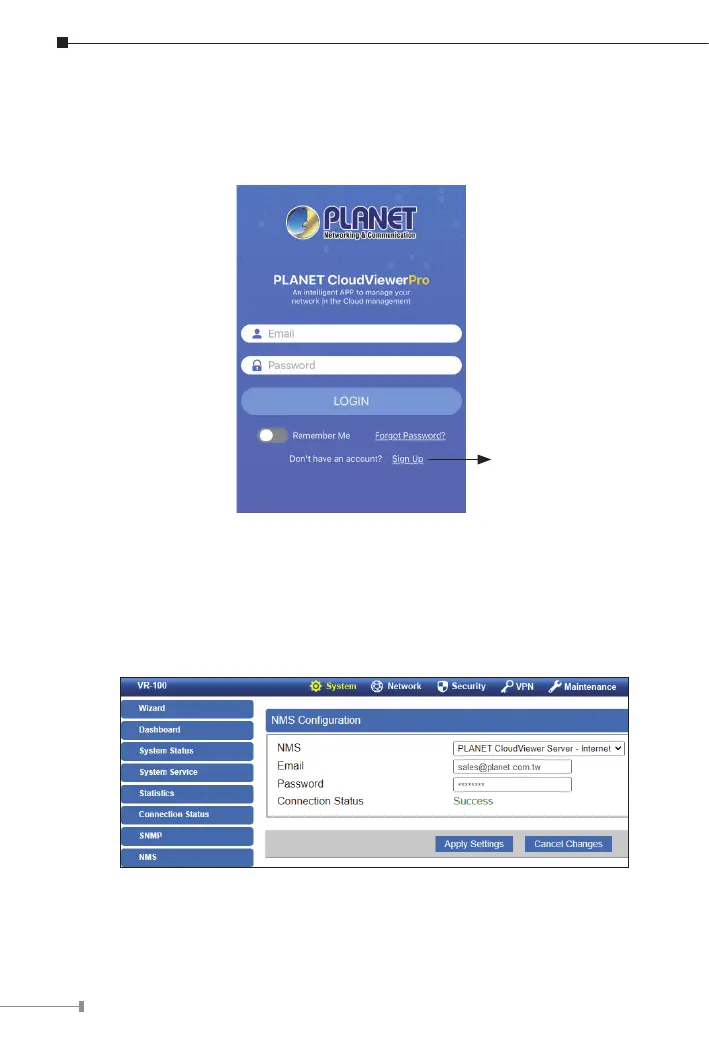
Launch the PLANET CloudViewer/CloudViewerPro app and log in with
your PLANET CloudViewer/CloudViewerPro app. If you don’t have an
account,registeranaccountwithane-mailaddressrst.
Register
Step 3: Bind Devices
1. Log in and go to the device NMSpage
2. Select and enable the PLANET CloudViewer Server – Internet function
3.FillinPLANETCloudVieweraccount(e-mailaddress)andpassword.
IfCloudViewerserverisconnected,theconnectionstatuswillshowsuccess.
If the server fails to connect, the connection status will show authentication
failed.


 To Next Page
 Loading...












