1
Slide and hold the power button towards the
Bluetooth icon until the LEDs flash red and blue.
2
Activate Bluetooth on your second device and follow
steps 2 and 3 in "Get Paired."
PAIR SECOND DEVICE
It takes up to 3 hours to fully charge your
headphones. The LEDs turn off once charging is
complete.
TIP: To check the headphones battery status, tap the Call
button while wearing your headphones. Headphones must
be in idle state.
Your headphones have up to 24 hours of listening
time.
CHARGE
Smart sensors respond when you put on or take off
your headphones.
Putting on your headphones will:
• Resume paused music
• Answer an incoming mobile call
Taking off your headphones will:
• Pause music (while music is playing)
Enabling or disabling sensors
When your headphones are powered on and in an idle
state, press and hold the Mic button and the Call
button for more than 4 seconds until you hear "Smart
sensors off." Repeat to reactivate.
USE SENSORS
ANC
Active Noise Cancelling (ANC) reduces external noise
and enhances your music and sound quality.
Slide the switch to activate ANC.
ANC AND OPENMIC
OpenMic
1
To hear your surroundings, slide the switch to
activate OpenMic when not on a call.
2
To increase or decrease the level, rotate the volume
wheel forward (+) or backward (–), when not on a
call.
Discover how Plantronics Hub applications bring
additional functionality to your headset. Go to
plantronics.com/software and download Plantronics
Hub to:
• Change language (Plantronics Hub for Windows and
Mac only)
• Receive firmware updates (Plantronics Hub for
Windows and Mac only)
• Personalize headset settings
• Find a lost headset
GET PLANTRONICS HUB
GET STARTED
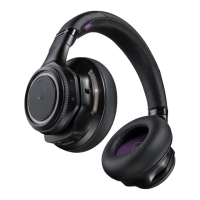
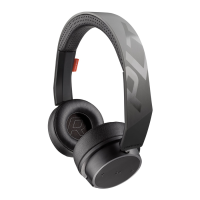
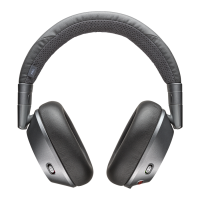
BackBeat PRO 2
Designed in Santa Cruz, California
Find a local support number
plantronics.com/support
Read online user guide
plantronics.com/documentation
NEED MORE HELP?
© 2016 Plantronics, Inc. Plantronics, BackBeat and Simply Smarter
Communications are trademarks of Plantronics, Inc. registered in the US and
other countries. Bluetooth is a registered trademark owned by Bluetooth SIG,
Inc. and any use by Plantronics, Inc. is under license. All other trademarks are the
property of their respective owners.
Patents pending.
XXXXXX-XX 05.16





 To Next Page