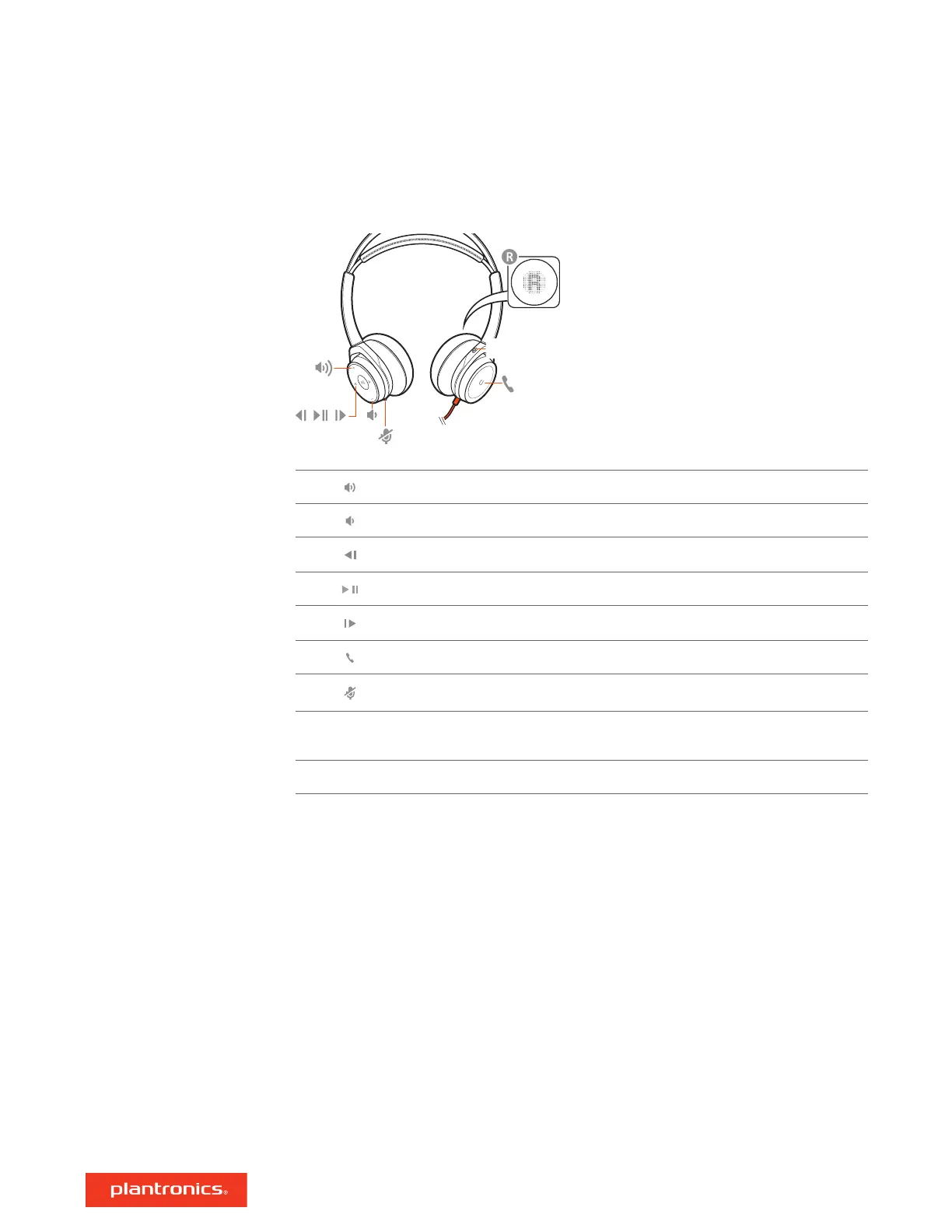
Active Noise Canceling
ANC
/
Open Mic
([ ])
Volume up
Volume down
Track backward
Play/pause audio
Track forward
Call button ([ ])
Mute/unmute
OpenMic To hear your surroundings, tap the mute button to activate OpenMic while headset
is idle (not on a call). To deactive, tap the mute button again.
ANC Active noise canceling: switches ANC off and on.
Download Plantronics Hub for Windows and Mac by visiting poly.com/software. This allows you to
customize your device behavior through advanced settings and options.
Setup
Headset overview
Load software
3







 To Next Page