12
1 Load Plantronics Spokes software by visiting plantronics.com/software and clicking
"Download".
2
Reconnect USB cable to the inline controller and the PC if disconnected.
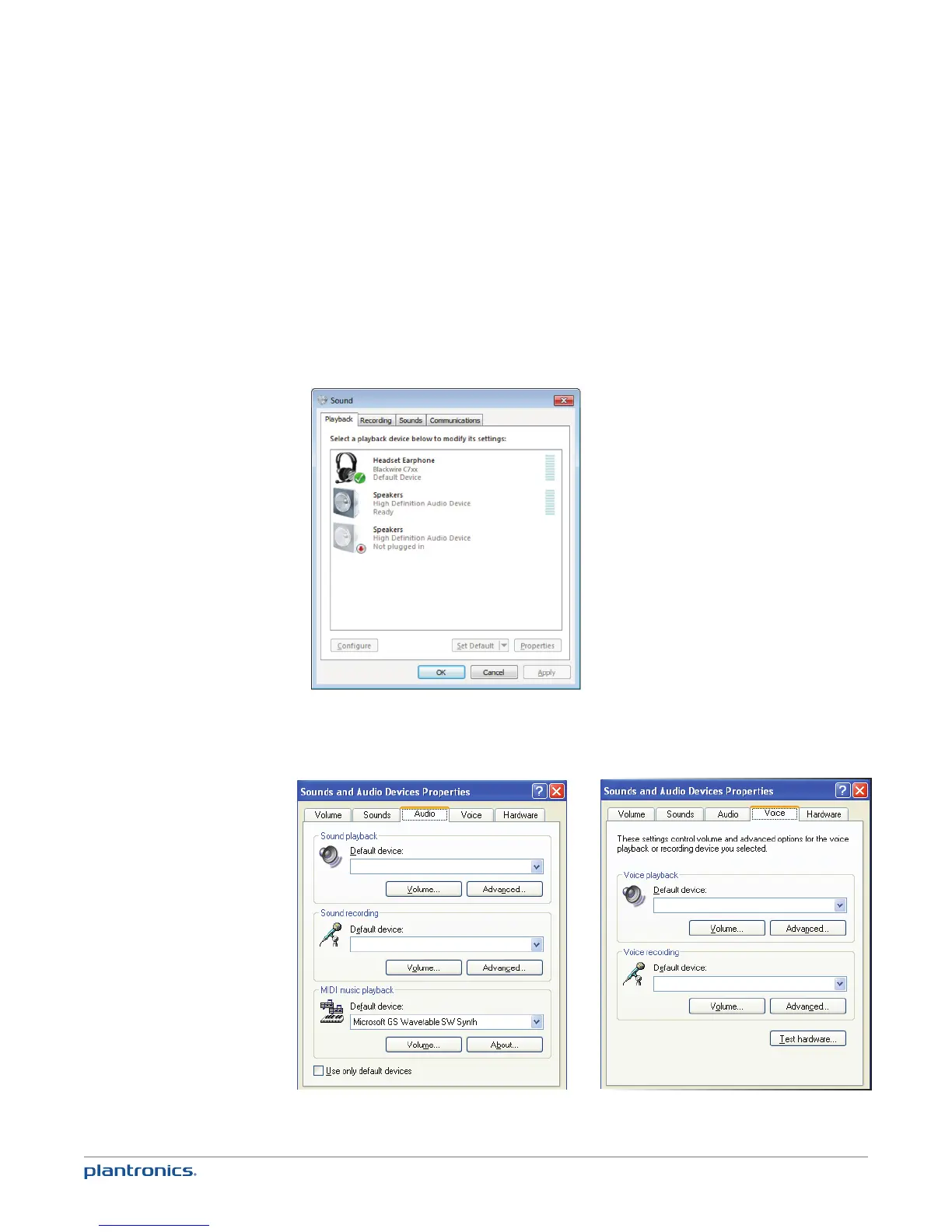
3 Confirm the speaker and microphone settings for your PC softphone are set to Plantronics
Blackwire C710/C720 as shown below:
PC audio setup for Windows 7 (To reach this screen: Control Panel > Sound)
Default setting: All PC sounds and audio is played in the headset.
PC audio setup for Windows XP (To reach this screen: Start > Control Panel> Sound and Audio
Devices)
Blackwire C7xx
Blackwire C7xx
Blackwire C7xx
Blackwire C7xx
Default setting: All PC sounds and audio is played in the headset.
4 Place a call from your PC softphone. During an active call, the PC talk button will slow flash
green.
Make a PC call







 To Next Page