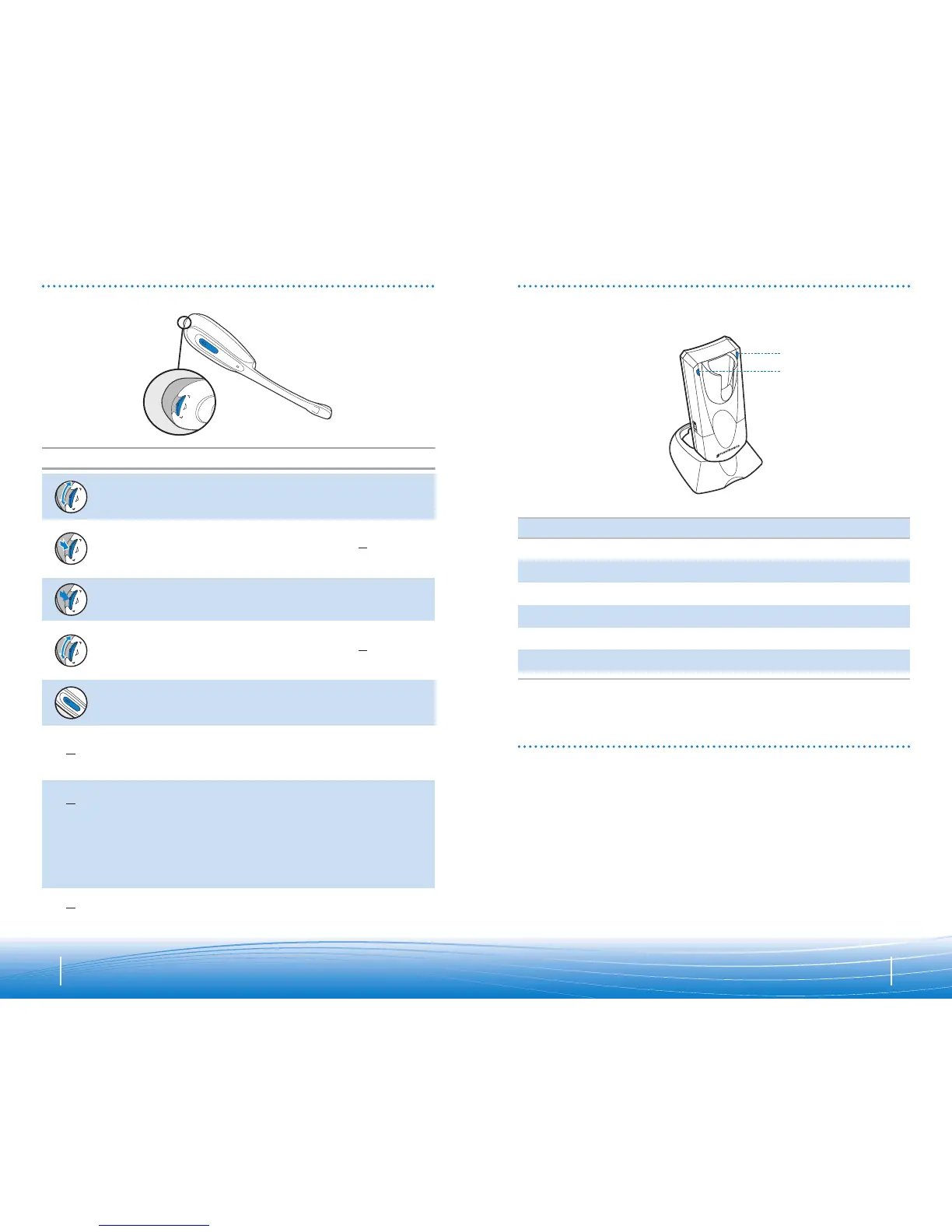
BASE INDICATOR LIGHTS
Action Light
Charging Red light illuminates brightly
Fully charged Red light goes off
Muted Green light flashes quickly
Headset not in base Red light illuminates softly
Headset link active Green light flashes slowly
Headset link inactive Solid green light
Status Indicator Light (green)
Charge Indicator Light (red)
TROUBLESHOOTING FOR CS50-USB
• Check that the USB cable is connected to a
powered computer.
• Check that the computer is turned on and not in
standby or hibernation mode.
• If using a USB hub, check that the AC power supply
is correctly connected and that the hub can supply
250mA to charge the headset.
• If using the AC charger, check that the AC charger
jack is connected to the base unit, that the AC charger
is securely connected to a working wall outlet, and
that it is the model supplied by Plantronics.
I plugged everything in but the
indicator lights won’t come on.
Problem Solution
HEADSET CONTROLS
14 15











 To Next Page