12
en
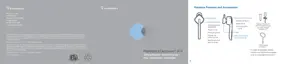
Earpiece Controls and Indicators
Action Light Tone
Enabling or
disabling mute
(during an active
call)
Press volume button
for 1 second.
None Mute on: sequence starts
with the low-high tones plus
voice prompt “Mute On” (in
English). 15 minutes later just
the low-high tones advise
status. Full sequence repeats
every 30 minutes until Mute is
de-activated.
Mute off: high-low tones
followed by voice prompt
“Mute Off” (in English).
Adjust the
volume (during an
active call)
Tap the volume button once for
each volume increment. After
reaching max volume, tapping again
will drop the volume to the lowest
setting.
One white flash for
every volume level
change.
One low tone for each volume
increment change; 2 low tones
at maximum volume.
WARNING Do not use the earpiece at high volumes for an extended period of time. Doing so can cause
hearing loss. Always listen at moderate levels. See www.plantronics.com/healthandsafety for more
information on earpieces and hearing.
DURATION: TAP is under 1 second. PRESS is 1-4 seconds as directed.





 To Next Page