13
en
Action Light Tone
Check if earpiece
is powered on
Tap any button. 1 white flash. 1 tone.
Incoming call None 3 white flashes
every 2 seconds.
3 rapid low tones every
2 seconds.
NOTE If your earpiece is docked with the charging case, the earpiece icon (bottom left)
and the display backlight on the case will flash when you have an incoming call. Remove
the earpiece from the case to answer the call.
Call in progress None 1 white flash every
2 seconds.
None
Missed call None 3 pink flashes
every 10 seconds
for 5 minutes.
None
Turn the online
indicator on or off
While the earpiece is powered on,
press and hold the volume button
for 4 seconds.
Turning on: White
light brightens
over 2 seconds.
Turning off: White
light dims over 2
seconds.
Single low tone.
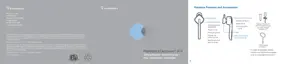
Earpiece Controls and Indicators
DURATION: TAP is under 1 second. PRESS is 1-4 seconds as directed.




 To Next Page