4
HEAR CALLS THROUGH YOUR CAR STEREO
You can listen to calls through
your car stereo speakers by
transferring the audio from
the speakerphone to a free
FM channel between 88.1 and
107.9 MHz.
If your phone is A2DP-enabled
you can also hear streaming
audio like GPS instructions
and music through your car
speakers.
We recommend that you
transfer audio to an FM
channel before you start
driving, and that you make
a routinely clear channel a
preset on your stereo.
1. READY
Ensure that your phone and speakerphone
are powered on and connected.
2. SET
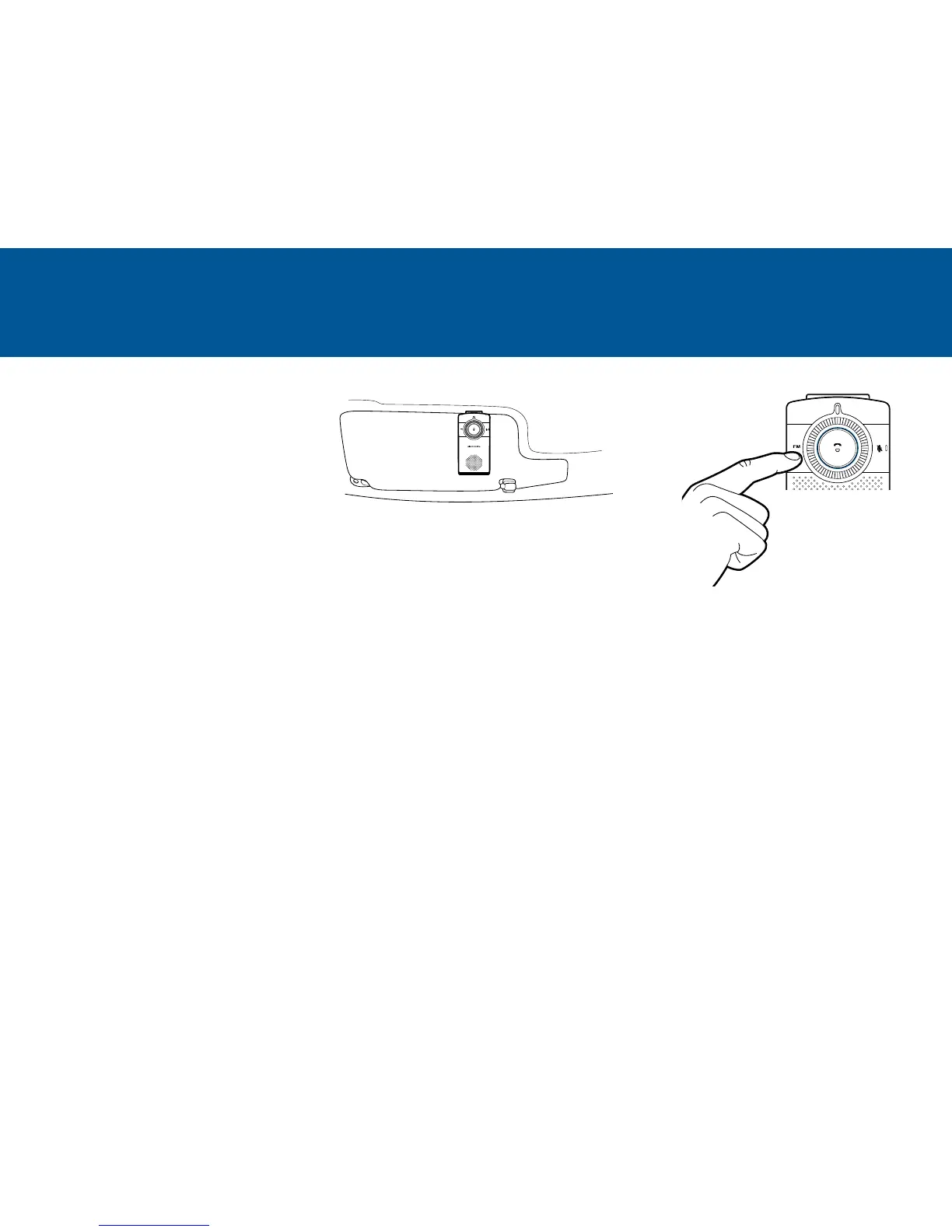
Press the FM button to enter FM transmit
mode. One of nine preset FM channels will
be announced.
3. CONNECT
Manually set your radio to the announced FM channel. If that channel is in use by a radio station,
then press the FM button to hear another channel option. Tune your radio to the new channel.
You are now ready to transmit calls and streaming audio like GPS directions from your phone to
your car stereo.
Alternatively, tune your radio to a free channel with decimal ending 1, 3, 5, 7, 9 and between
88.1 and 107.9 MHz. Then tune the speakerphone to same channel using the FM button (tap to
increase, double-tap to decrease).
If a radio station suddenly takes over the FM channel, press the FM button for 2-4 seconds
(release when beep is heard) to redirect the audio back through the speakerphone.
NOTE The FM transmit mode will automatically switch off if there is no audio transmitted (calls or
music/GPS) for more than 1 minute, when this occurs FM buzzing/white noise may be heard via the
car stereo. The FM transmitter will re-connect automatically once the audio device is re-activated.
Suggested placement




 To Next Page