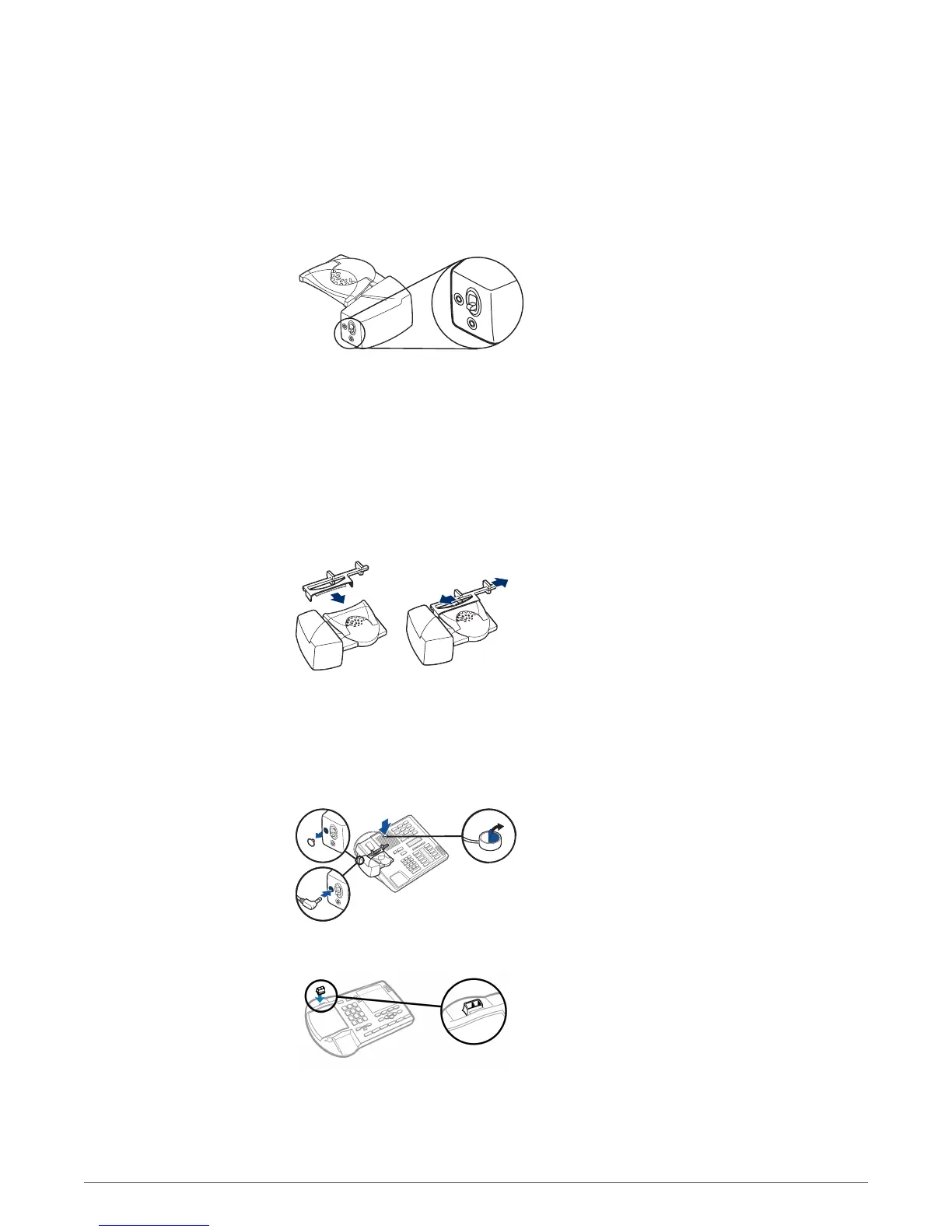
1 If you do not hear a dial tone, raise the lifter height switch to the next highest position.
2 Repeat steps 3 through 6 above as necessary until you hear a dial tone.
3 When you hear a dial tone, secure the lifter as described in steps 7 through 9.
Additional parts (If required)
Use the extender arm when the headset lifter needs additional stability lifting and returning
headset to cradle.
Extender Arm
1 Slide extender arm onto lifter.
2 Stabilizers can be shifted left and right. Position stabilizers on outsides of handset to gently grip
the phone.
Ringer Microphone
Use ringer microphone only when the telephone speaker is not located directly under the handset,
1 Remove cover from ringer microphone jack on the back of lifter .
2 Connect ringer to microphone plug.
3 Place ringer microphone over phone speaker. Remove adhesive tape and attach.
For Nortel Phones Only
If You Do Not Hear a Dial
Tone
11


 To Next Page