
 Need help?
Do you have a question about the PlayNetwork MC500 and is the answer not in the manual?
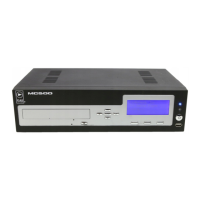
Illustrates and labels the components on the front panel of the MC500 media player.
Illustrates and labels the connectors and ports on the back panel of the MC500 media player.
Procedure to verify the network connection status by checking the 'Last Connect' display.
Instructions on how to place the MC500 into standby mode and how to wake it up.
 General
| Model | MC500 |
|---|---|
| Category | Media Player |
| Storage Capacity | 500GB HDD |
| Weight | 1.2 kg |
| Audio Formats Supported | MP3, AAC, WMA, WAV |
| Video Formats Supported | MPEG1, MPEG2, MPEG4 |
| Connectivity | Ethernet, Wi-Fi (optional) |
| Output | HDMI, Composite Video |
| Audio Outputs | Stereo RCA |
| Display | None (External display required) |

 To Next Page
