- 5 -
CONTROL CENTER
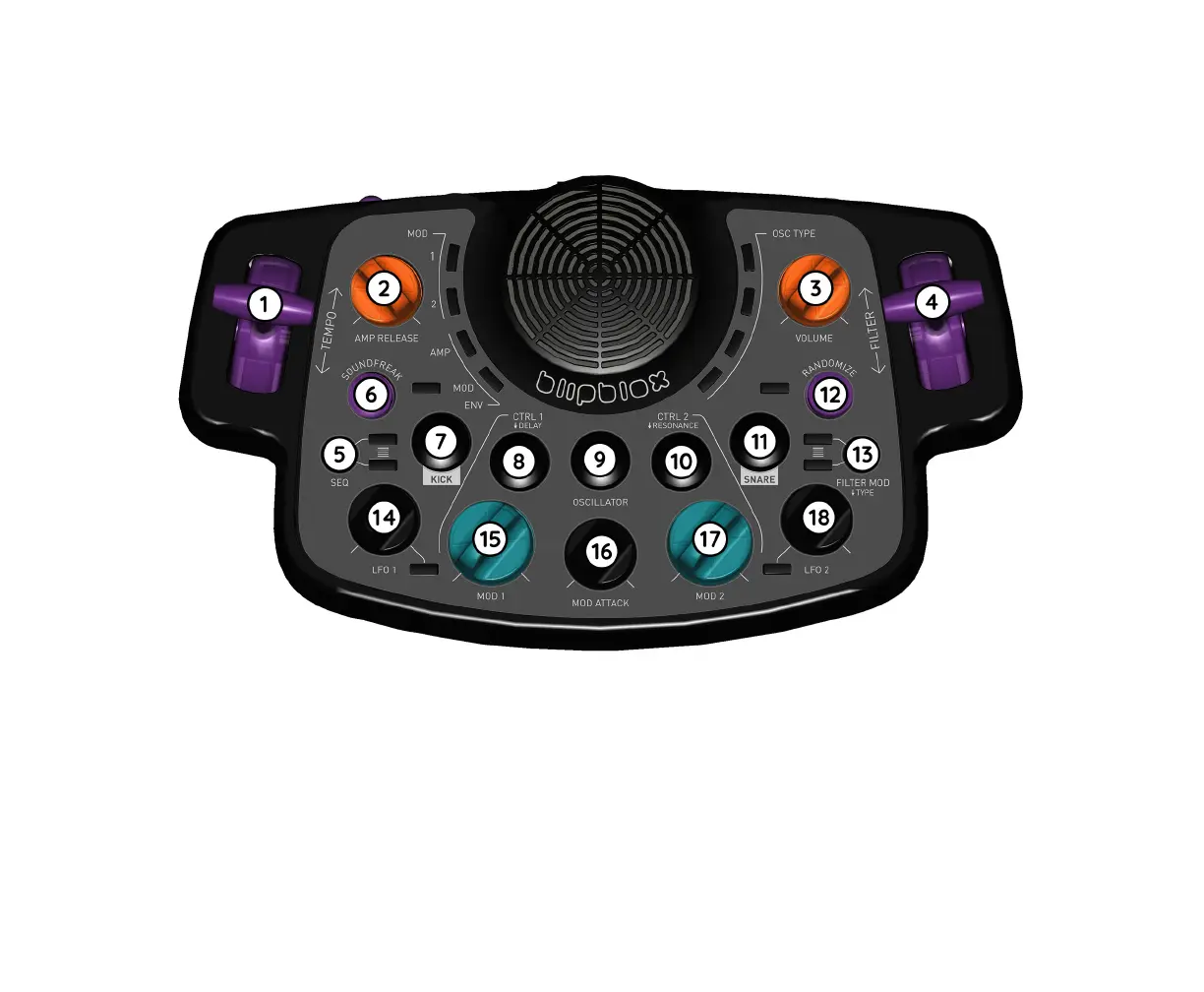
(1) TEMPO lever changes the speed of the music.
(2) AMP(lier) RELEASE knob changes the duration of a sound after the musical note has ended. Clockwise turn
increases the duration of the sound. Counter-clockwise turn decreases the duration.
(3) VOLUME knob makes the sound louder or quieter.
(4) FILTER lever controls the cuto frequency of the lter. Any sound frequencies that are higher, lower, or away
from the cuto frequency are removed, depending on the selected lter type.
(5) SEQ(uencer) button selects the melody. Every other melody includes drums. The selected melody will
continue to play until the SEQ button is pressed again.
(6) SOUNDFREAK button adds a crazy random eect to the musical notes.


 To Next Page