BATTERY NOTICE
• The use of new alkaline batteries is recommended for maximum performance.
• Install batteries correctly observing the polarity (+ , -) signs to avoid leakage.
• Do not mix old and new batteries.
• Do not mix batteries of different types: alkaline, standard (carbon-zinc) or rechargeable (nickel-cadmium).
• Remove the batteries from the equipment when the unit will not be used for an extended period of time.
Please note: To prevent data loss, copy all photos and movies from Playzoom Snapcam to a PC.
• Always remove exhausted batteries from the equipment.
• Do not dispose of batteries in fire.
• Do not attempt to recharge ordinary batteries.
• The supply terminals are not to be short-circuited.
• Only batteries of the same and equivalent type as recommended are to be used.
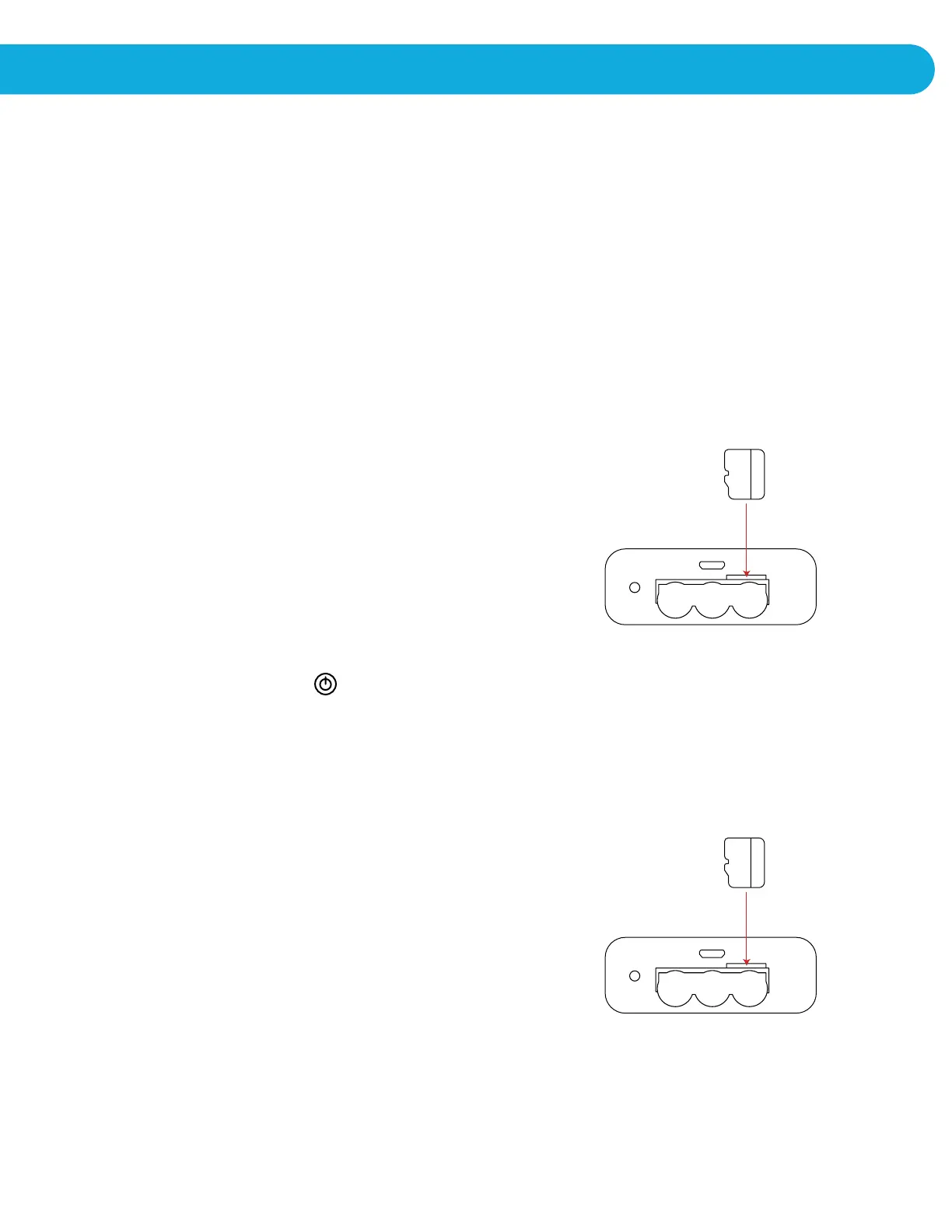
MicroSD HC MEMORY CARD INSERTION
Playzoom Snapcam supports up to a 32GB (MicroSD HC) memory
card (not included) for memory expansion.
• Make sure the camera is turned OFF.
• Open the battery cover on the bottom.
• Locate the MicroSD HC card slot inside.
• Insert the MicroSD HC card (not included) as illustrated.
• Replace the battery cover and tighten the screw.
Do not over-tighten the screw.
TO BEGIN USING PLAYZOOM SNAPCAM CAMERA
Press the ON/OFF Button to turn on the camera. After turning on, Playzoom Snapcam
will directly take you to the camera menu screen.
CONNECTING TO A COMPUTER
In order to download your photos, you will need to remove the MicroSD HC Card and
insert it into a card reader. You will be able to transfer your photos to your computer.
GETTING STARTED


 To Next Page