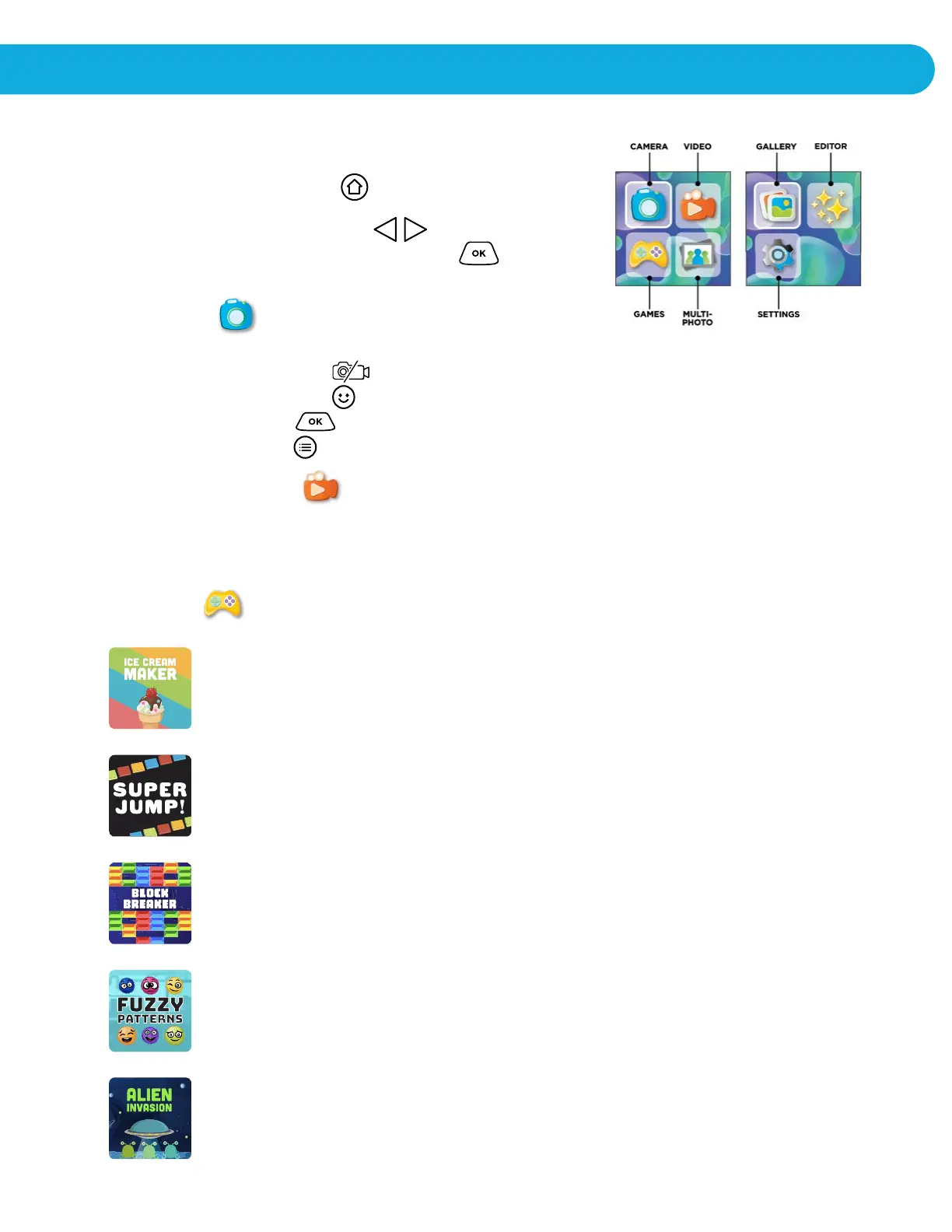
HOME MENU
• Press the HOME BUTTON to go to the Main Menu to
select different activities.
• Press the CURSOR BUTTONS to select
different modes and press OK BUTTON to enter
the selected mode.
1. CAMERA
In Camera Mode, you can take normal photos, or pictures with funny effects.
• Press the Shutter Button to snap a picture
• Press the Special Effects to apply an effect before snapping a picture.
• Press the OK button to turn on flash
• Press the list button to use the 5 second camera timer
2. VIDEO CAMERA
• In Video Camera Mode, you can take action videos.
• Press the Shutter Button (show button) to start recording.
• Tap the Shutter Button (show button) to start recording.
3. GAMES
ICE CREAM MAKER: Ice cream maker is a tasty activity for preschool and
kindergarten students. Kids go through a step-by-step process selecting
different cones, flavors, sauces, whipped cream and toppings! No two ice
creams are alike!
SUPER JUMP: Jump from block to block by selecting the correct color next
in line. Use the left and right arrow keys to navigate to the correct color and
select okay to lock in color.
BLOCK BREAKER: Your objective is to destroy all the blocks to move on
to the next level. Collect power ups along the way to help you break all the
blocks.
ALIEN INVASION: The Aliens are invading. Save the planet by
solving the math equations by zapping them back to alien craft.
FUZZY PATTERNS: Solve the fuzzy pattern by selecting the
correct fuzz balls that completes the pattern.
ACTIVITIES


 To Next Page