25
Inserting a Stick
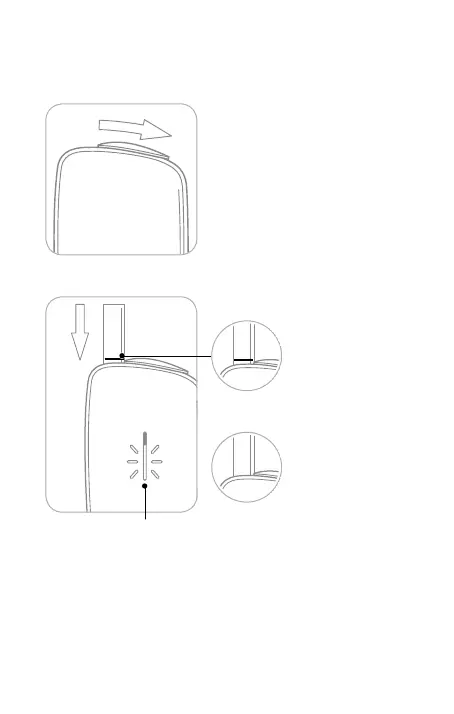
1. Open the Sliding Cover.
2. Insert a tobacco stick straight in.
Make sure that the
colored line on the
tobacco stick is not
covered.
Be careful that the
colored line on the
tobacco stick is not too
far below the Sliding
Cover of the device.
When you open the Sliding Cover, the LED lights up and
indicates the remaining battery level (page 30).
Correct
Incorrect
•
Never twist the tobacco stick after inserting it.
Doing so may cause the tobacco stick to jam.
•
Reusing tobacco sticks will result in an inferior avor and aroma.
Only use never-before-used tobacco sticks.
•
Never insert tobacco sticks with the leaf ends up.
Doing so may cause a malfunction.
•
Never use wet or damp tobacco sticks.
Use



 To Next Page