5
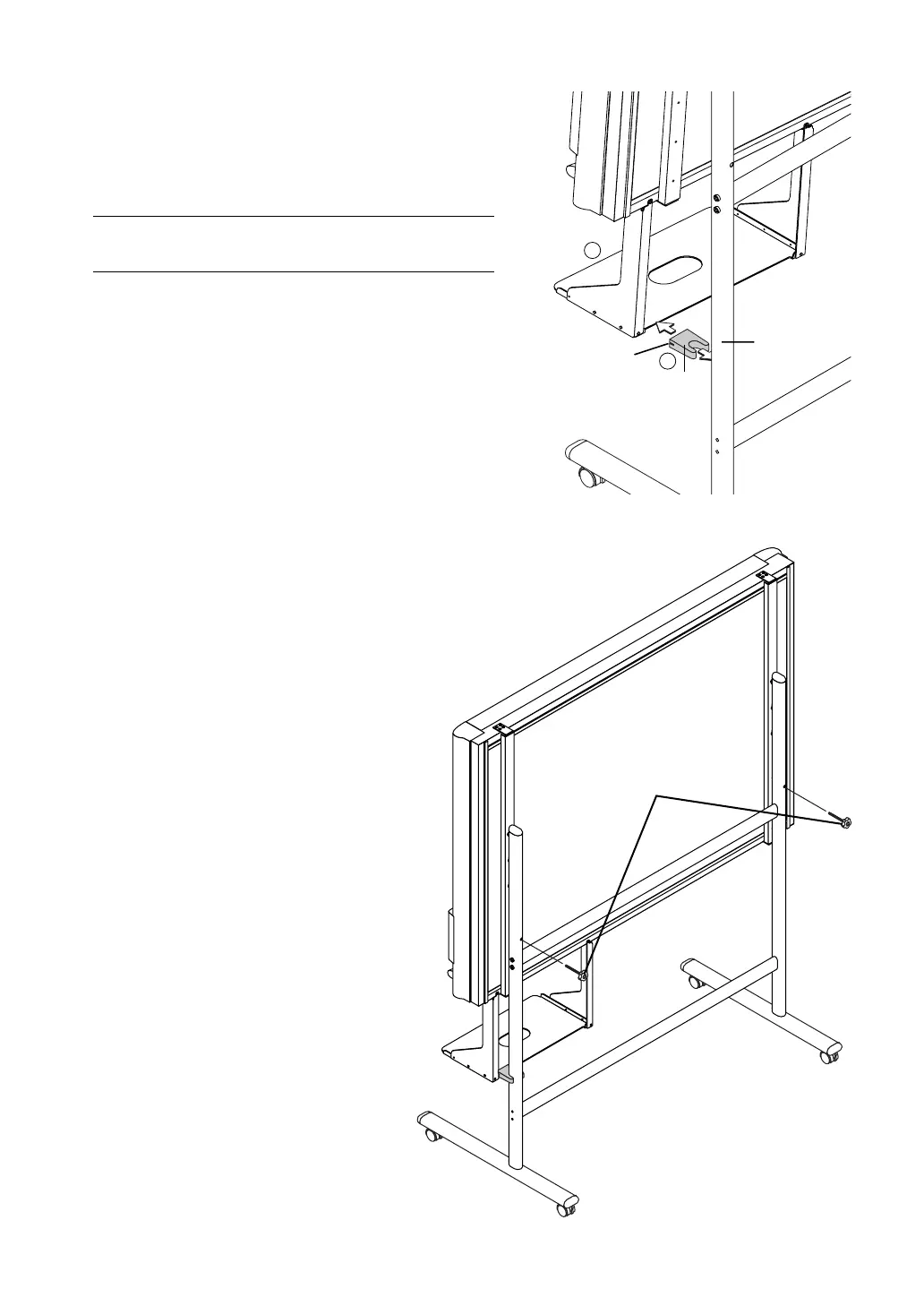
(6) Insert the stay between the printer tray and
stand.
햲 Tilt the bottom of the main unit slightly forwards and insert
the stay between the printer tray and pipe.
햳 Pushing the main unit back towards the stand, insert the
groove in the stay into the printer tray.
Note
Check again that the grooves in the stand’s hooks are securely inserted
in the mounting holes in the support fittings.
(7) Lock the main unit and stand with the two
locking knobs.
Stay
Pipe
Groove
1
2
Locking knob



 To Next Page