7.5 Continuity Test
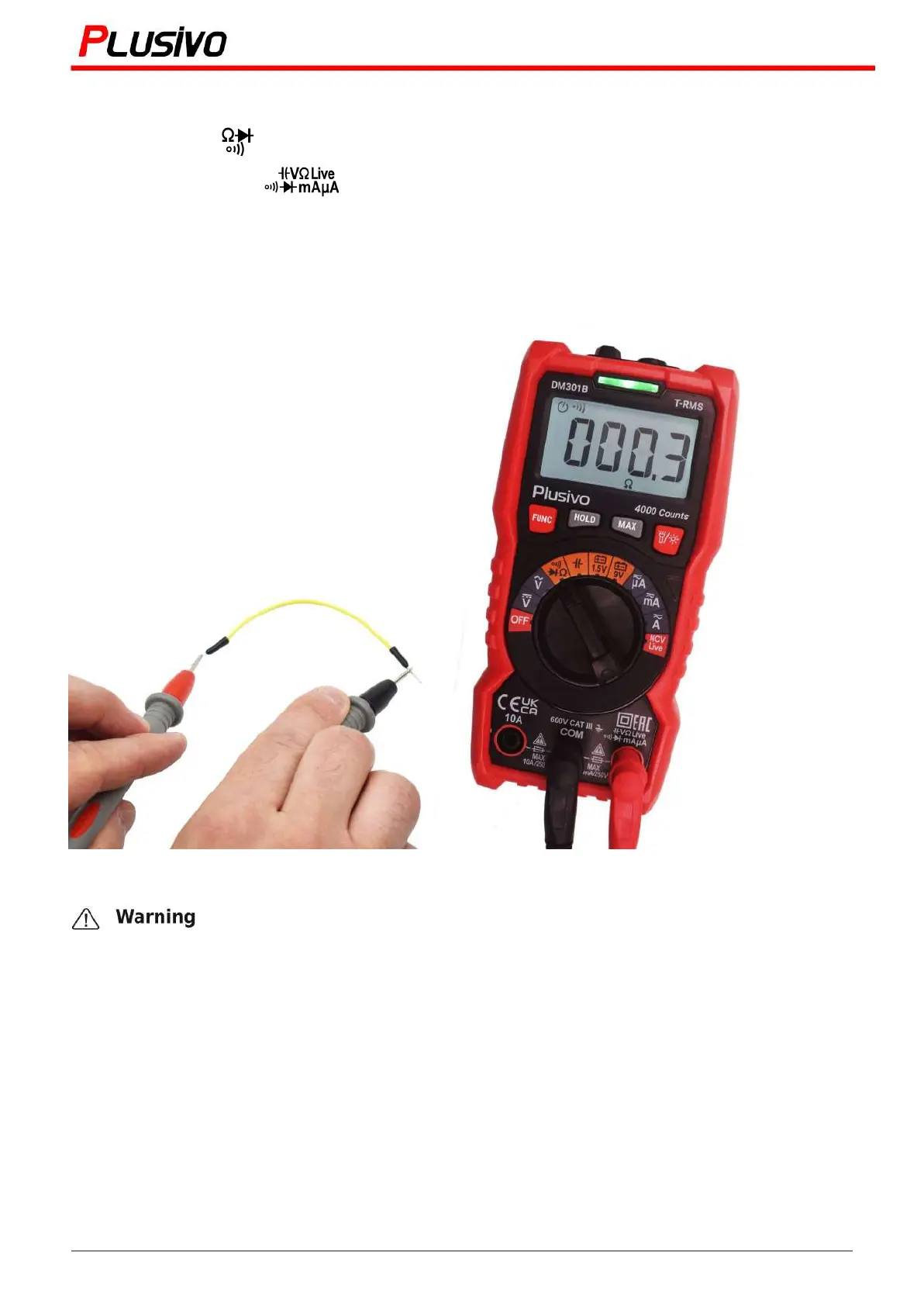
1. Turn the knob to " " and switch to the continuity measurement function with the "FUNC" key.
2. Insert the red probe in " " and black probe in "COM" sockets.
3. Connect the probe to the measured circuit or resistance and measure the resistance.
4. If the resistance or circuit of the measured resistance is less than 30Ω, the buzzer will turn on and the
green indicator will light up at the same time; when the resistance is between 30Ω to 60Ω, the red
indicator lights up; the screen displays the resistance of the measured circuit.
When measuring continuity on the line, disconnect the power supply and discharge all the
high-voltage capacitors. Otherwise, the instrument may be damaged and may be struck by
electric shock.
15
Mastering the Art of Measurement (DM301B Digital Multimeter) r.01 www.plusivo.com


 To Next Page