22
d. Monitör 1 dakika çalışma olmadığında otomatik olarak kapanacaktır ve tarih ve saat değişmeyecektir.
e. Pilleri değiştirdiğinizde, saat ve tarihi yeniden ayarlamanız gerekmektedir.
2. CLOCK AND DATE ADJUSTMENT
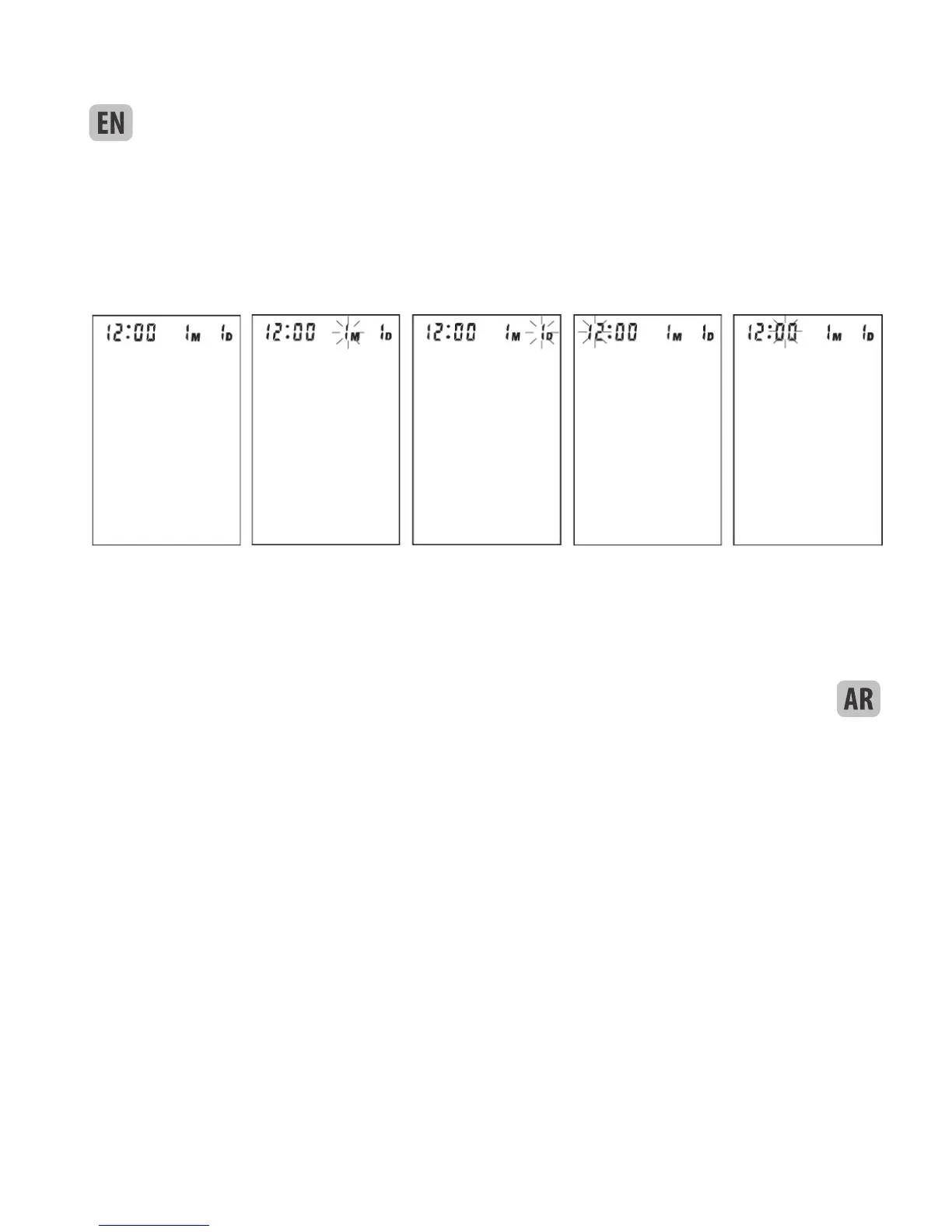
a. Once you install the battery or turn off the monitor, it will enter Clock Mode, and LCD will display time and
date. See picture 2.
While the monitor is in Clock Mode, pressing both the
“START” and “MEM” button simultaneously, the month will blink at rst. See picture 2-1. Press the button
“START” repeatedly, the day, hour and minute will blink in turn. See picture 2-2 & 2-3 & 2-4. b.
b. While the number is blinking, press the button “MEM” to increase the number. Keep on pressing the button
“MEM”, the number will increase fast.
c. You can turn off the monitor by pressing “START” button when the minute is blinking, then the time and
date is conrmed.
d. The monitor will turn off automatically after 1 minute of no operation, with the time and date unchanged.
e. Once you change the batteries, you should readjust the time and date.
Picture 2 Picture 2-1 Picture 2-3 Picture 2-3 Picture 2-4



 To Next Page