24
3. SES AYARI
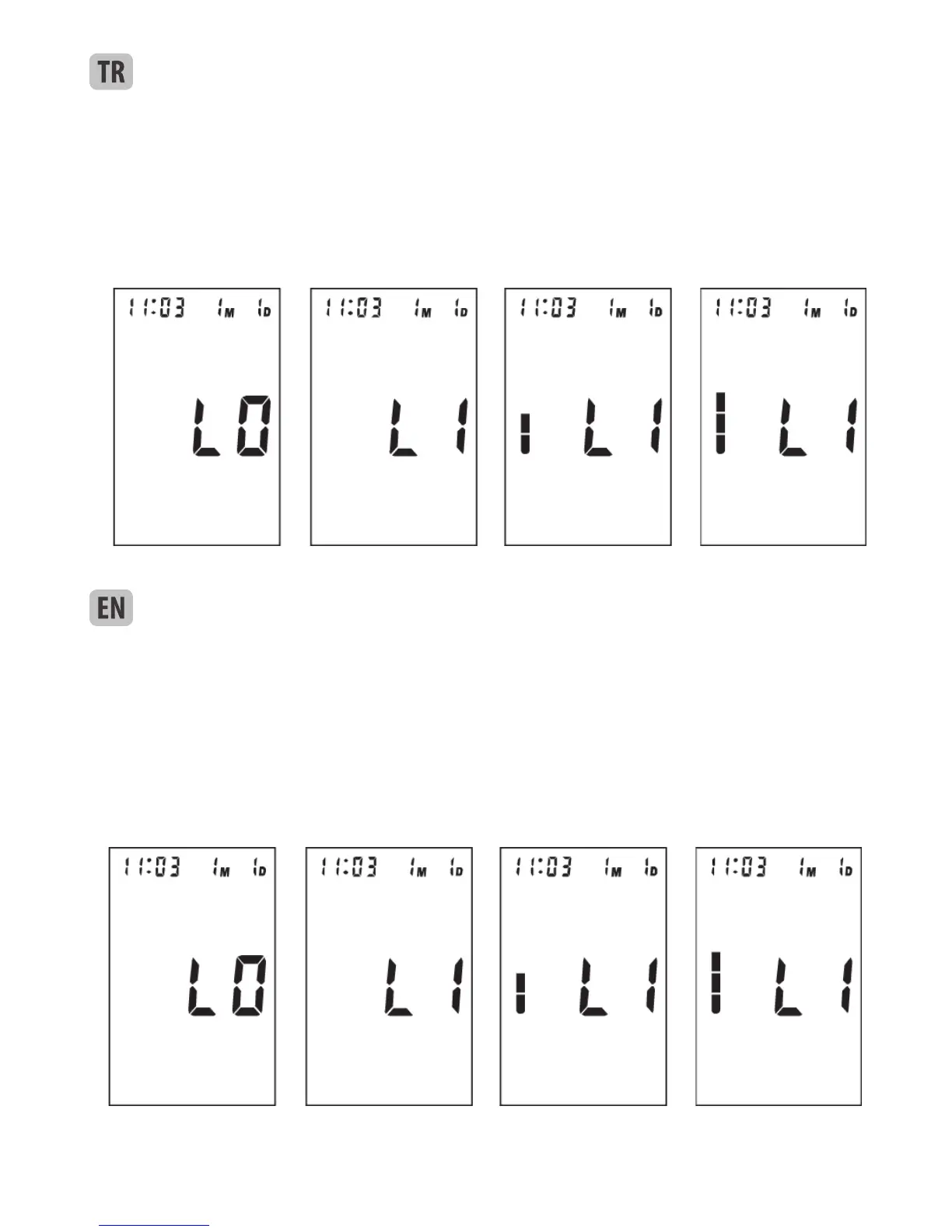
SES DİL AYARI: Saat modunda, ses dilini “MEM” tuşuna basmaya devam ederek seçebilirsiniz. Şimdi LCD
yanıp sönecektir: “L0”, “L1”, “L2” … “Ln” (Bkz. Resim 3 & 3-1). “L0” ses fonksiyonunu kapatmayı temsil
eder, “L1” dil 1’i temsil eder, “L2” dil 2’yi temsil eder 2,…,“Ln” dil n’i temsil eder ve böyle gider. İstenilen
dili, “MEM” tuşunu istenen dil kodunu gösterdiğinde bırakarak seçebilirsiniz.
Resim 2 Resim 2-1 Resim 2-2 Resim 2-3 Resim 2-4
SES YÜKSEKLİĞİ AYARI: Bir dil seçtiğinizde, bir çubuk kolonu LCD’de görülür. “MEM” tuşuna basmaya
tekrar devam edin, sesin yüksekliğini ayarlayabilirsiniz. Bkz. Resim 3-2 & 3-3. Çubuk yükseldikçe, ses de
yükselir. “MEM” tuşuna istediğiniz ses düzeyine geldiğinizde bırakınız.
3. VOICE SETTING
a. Voice language setting: In clock mode, you can select the voice language by keeping on pressing the button
“MEM”. Now LCD blink “L0”, “L1”, “L2” … “Ln” (see picture 3
Picture 2 Picture 2-1 Picture 2-2 Picture 2-3 Picture 2-4
& 3-1) circularly. “L0” represents closing voice function, “L1” represents language 1, “L2” represents language
2,…,“Ln” represents language n, and so on. You can select the wanted language by releasing button “MEM”
when display the corresponding language code.
b. Voice volume setting: Once you have selected a language, a column of bar will appear on the LCD. Keep on
pressing the button “MEM” again, you can adjust the volume. See picture 3-2 & 3-3. The higher the bars, the
louder the volume. Release button “MEM” at your desirable volume for conrmation.
Resim 3 Resim 3-1 Resim 3-2 Resim 3-3
Picture 3 Picture 3-1 Picture 3-2 Picture 3-3



 To Next Page