Seite 7 von 11
3.2. Inserting and charging the rechargeable batteries
Attention:
If you need to put the device on its rear side, e.g. to insert or replace the
rechargeable batteries, please place a soft cloth under the device.
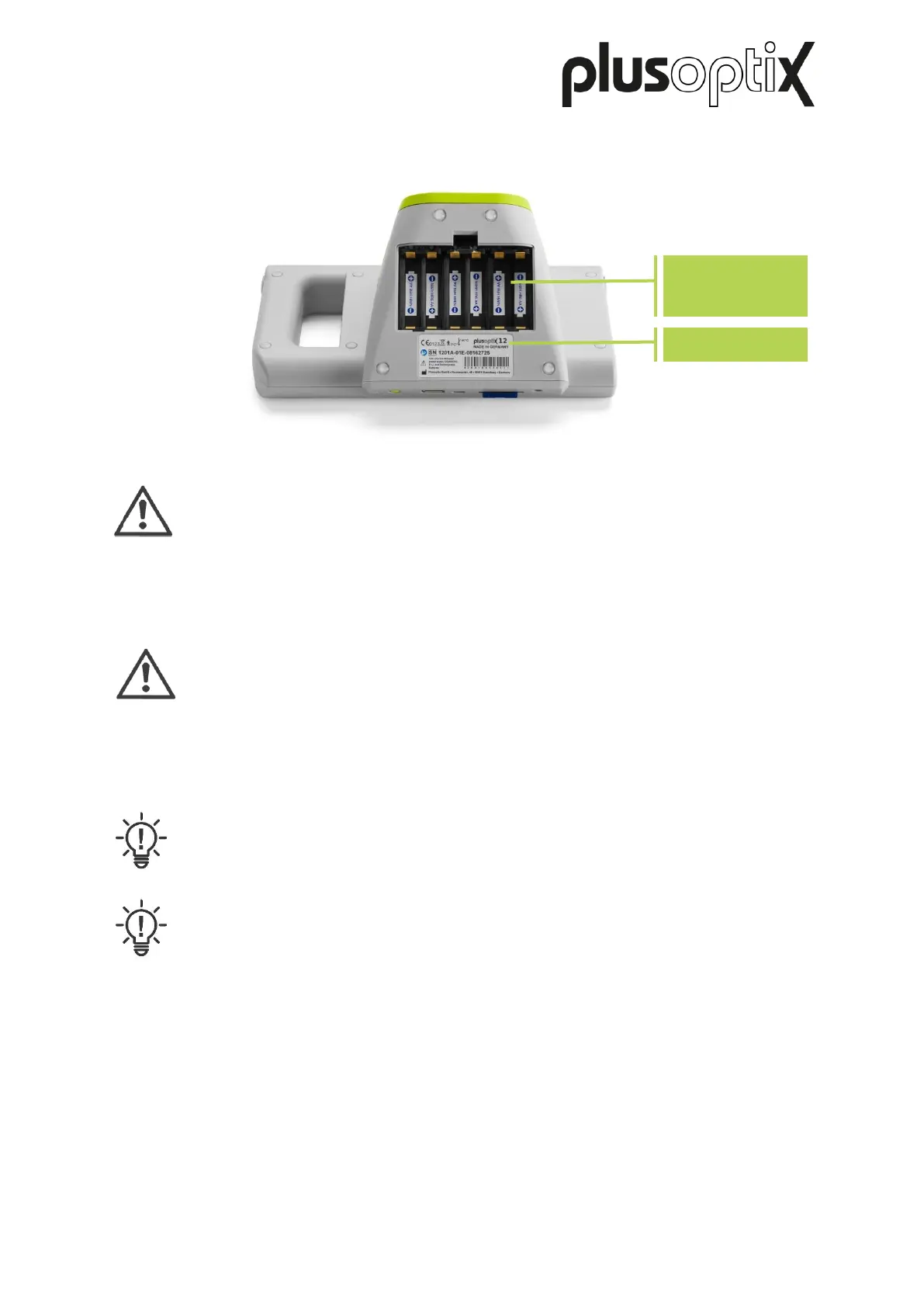
To insert the batteries, please put the device on a level working surface on its rear side.
Attention:
If you insert batteries other than those supplied, you should exclusively use
rechargeable Nickel Metal Hydride NiMH/AA HR6 batteries with a capacity of at
least 1,900 – 2,100 mAh and a quick-charge rate of min. 1 A.
Now remove the battery compartment cover using a 1-cent coin, and insert the supplied
rechargeable batteries.
Note:
When inserting rechargeable batteries, please ensure that the contacts are
located on the correct side.
Note:
The type plate with the serial number (S/N 120xA-xxx-xxxx xxxx) is located under
the battery compartment. If you contact us regarding extended service or
warranty questions, please remember to always quote the serial number of your
device. The S/N number helps us to answer your question quickly.
After inserting the rechargeable batteries, close the battery compartment cover and place the
device in front of you. Now connect the medical power adapter with its power cable to the
wall socket and check whether voltage is present (green light diode at the top of the medical
power adapter lights up). Then connect the 12V charging cable of the medical power adapter
to the device.
The inserted rechargeable batteries will now be charged automatically. The charging time of
the batteries depends on the charge level of the batteries. The maximum battery charging
time is 3 hours for the supplied rechargeable batteries.
Figure 3: Battery compartment view of the device (plusoptiX A12C)



 To Next Page