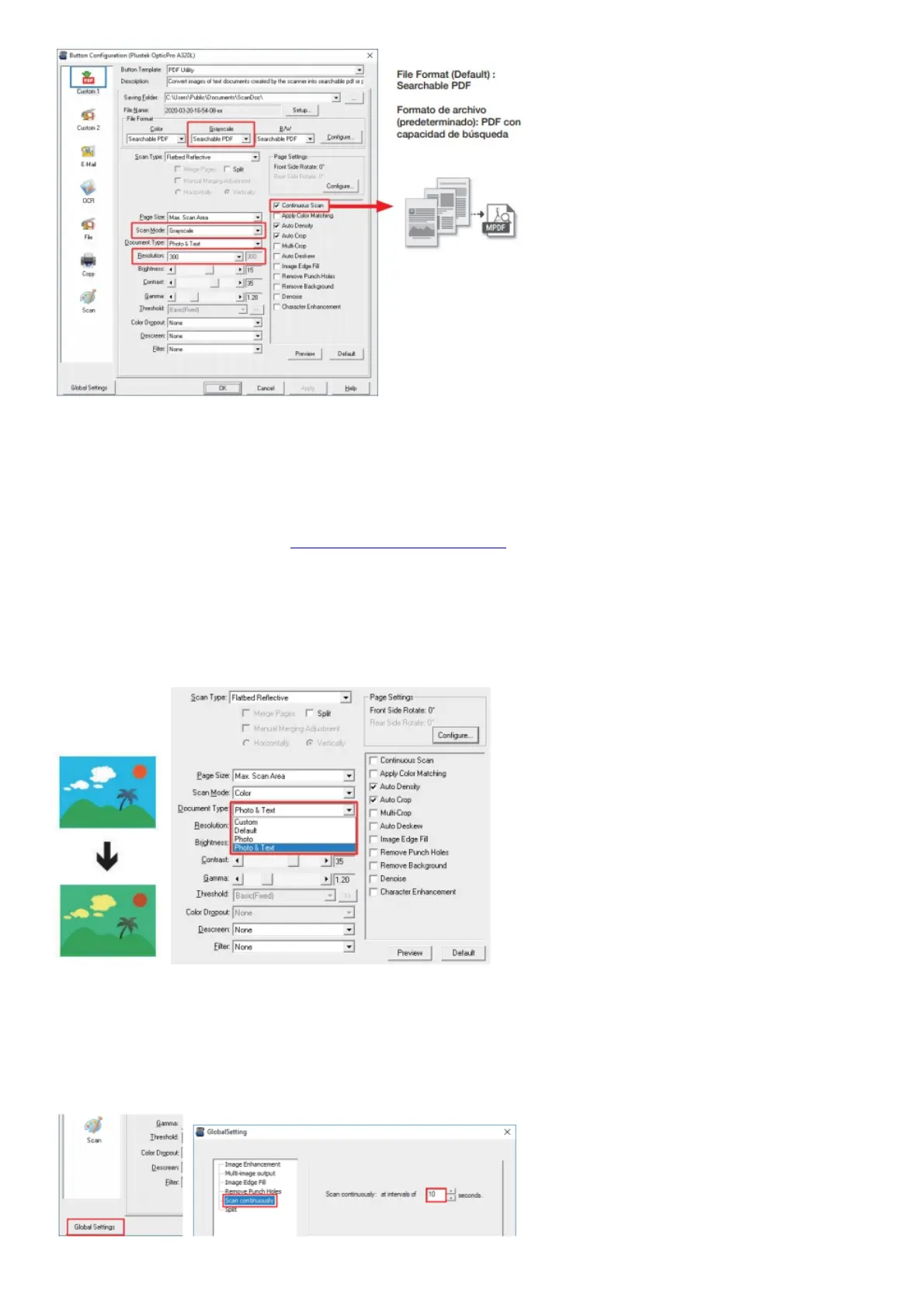
Useful Tips: If you want to scan a batch of documents, please check the box Continuous Scan. A dialog countdown
will appear to place the next page.
FAQ/Troubleshooting
For more information, please visit https://plustek.com/a3fb/faq/
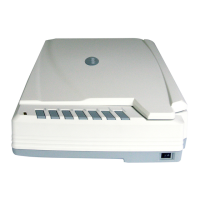
FAQ 1: The colors of the scanned images are strange.
Solutions:
Please select Document Type according to your scan material. If the selection is not matched , the scan results may
not be satisfied. If the image is not improved, please apply the solutions of FAQ 3.
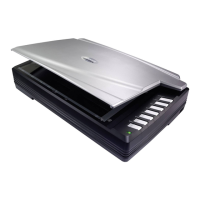
FAQ 2: The countdown for Continuous Scan is too short.
Solutions:
Click Global Settings button, select Scan Continuously tab to adjust the interval time. You may set to 0 to
manually start the next scan without the countdown timer.











 To Next Page