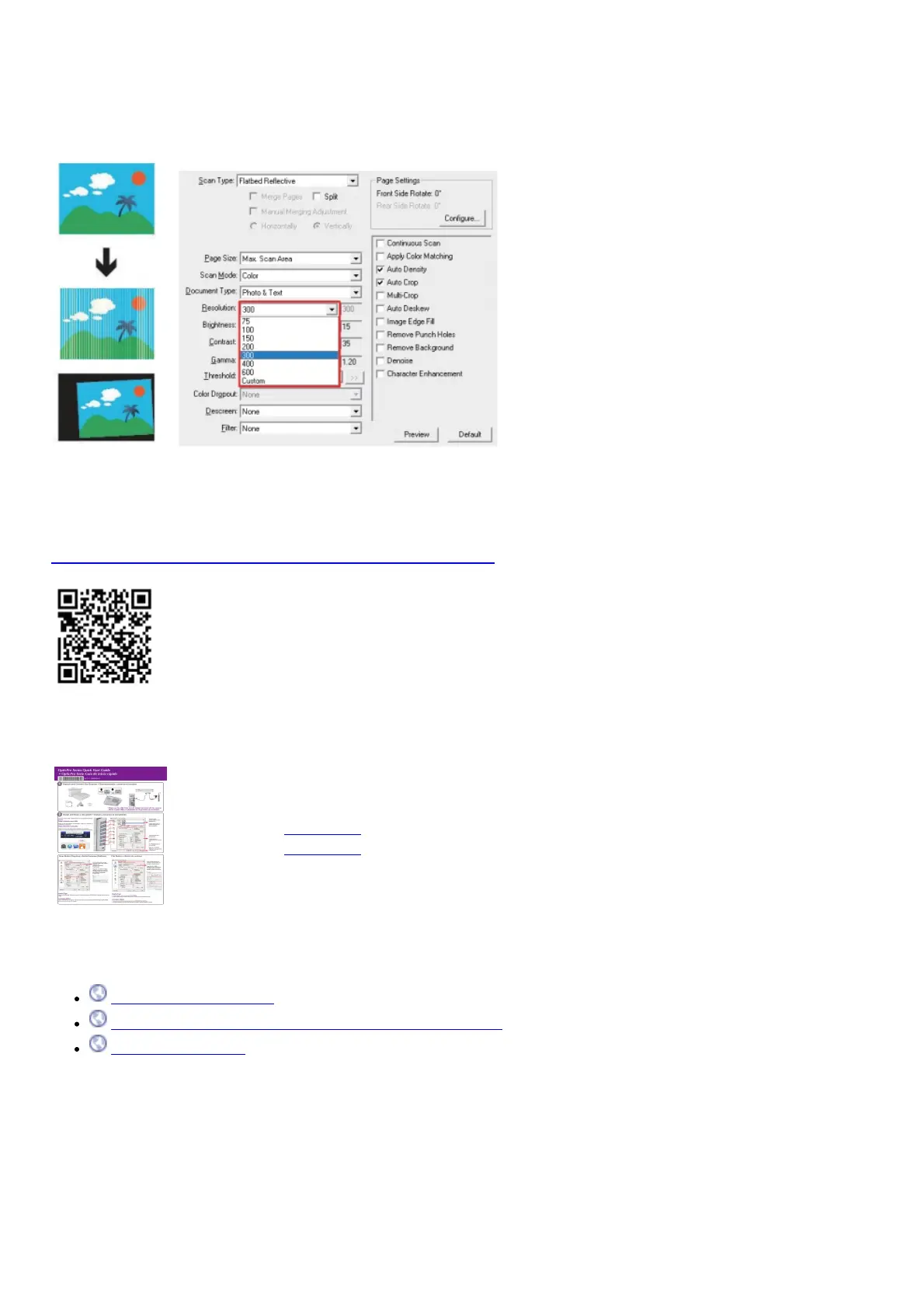
FAQ 3: There are some stripes on the scanned image, or the crop image is not correct.
Solutions:
Clean the scanner glass with cloth.
Change the resolution, click Apply button and perform a scan to calibrate the scanner.
Technical Support
For Customer Support refer to Plustek Technical Support Site
https://plustek.com/us/support/technical-support-form.php
File Downloads
User Guide
OpticPro Series
Download [optimized]
Download
References
plustek.com/a3fb/faq/
plustek.com/us/support/technical-support-form.php
plustek.com/a3fb/
Related Manuals
1. plustek SmartOffice Scanner User Guide SmartOffice PS3140U SmartOffice Series The Smart office PS3140U document
scanner...
2. Plustek Scanner SmartOffice User Guide Plustek Scanner SmartOffice User Guide Model: PS3150U High speed,
reliable,...
3. plustek SmartOffice PS286 Plus Instructions plustek SmartOffice PS286 Plus The SmartOffice PS286 Plus 25 page...
4. Plustek SmartOffice PS30D Instruction Manual Plustek SmartOffice PS30D Instruction Manual SOFTWARE Button utility











 To Next Page