12
X150
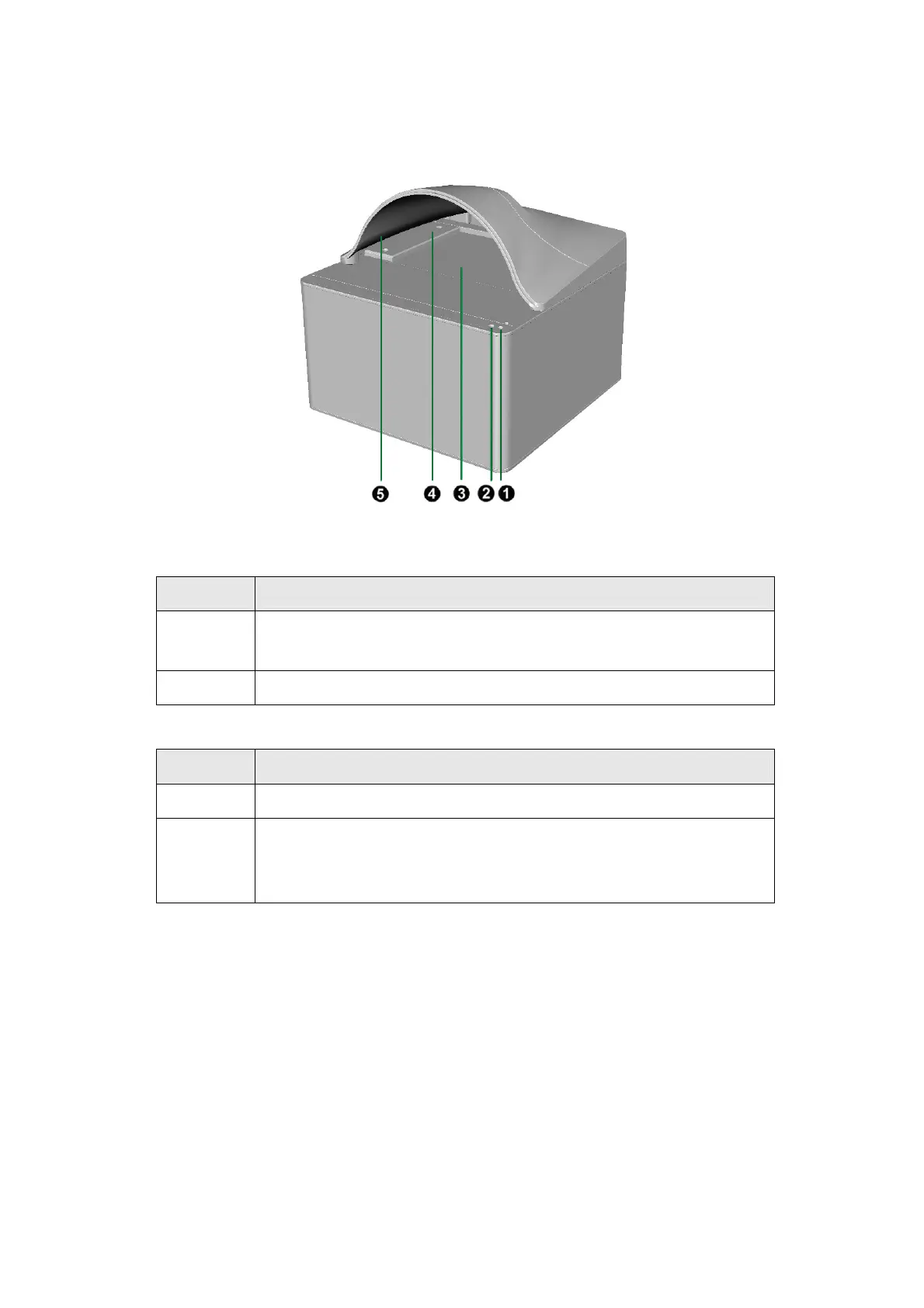
1. Scan Indicator: Indicates the scanner’s scan status. The scanner will beep and the
scan indicator will blink when the scan process is finished.
Light Status
Blink
The scanner has completed the scanning task. It also comes with
a beep sound.
Off The scanner is currently not scanning.
2. Power Indicator: Indicates the scanner’s power status.
Light Status
On The scanner is turned on, ready to scan images.
Off
The scanner is off, either because the power is not turned on, or
because the power cord is not properly plugged into an AC power
outlet.
3. Scanner Glass: Where you put items for scanning.
4. Alignment Bar: Always align the edge of your document to this arrow bar. You
may adjust the bar to place it next to the right or left side of the scanner glass.
5. Cover: Install the cover onto the scanner to avoid the scanned image’s dark
background caused by the ambient light in the room.











 To Next Page