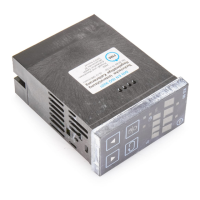
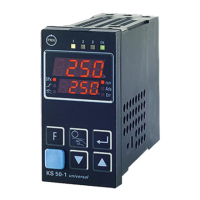
7 REMOTE/LOCAL operation
The controller can be switched to REMOTE or LOCAL operation.
Switch-over by Terminals Condition for REMOTE
q
KS 40 Link 10 / 11 link fitted
q
KS 50 Active signal 11 (+) / 10 (-) signal 24 V
q
KS 90 Active signal 9 (+) / 10 (-) or 11 (+) / 10 (-) signal 24 V; input selection with C on4
Switchover is always possible. Any simultaneously running data transmission by the computer is
cancelled and the already received data are lost. Any simultaneously running data transmission by the
controller is not affected.
In LOCAL mode, only reading is possible, write attempts are rejected with NAK. Additionally, the
display and changing of parameters and configurations is possible via the controller keys.
In REMOTE mode, all operations of the serial interface (writing and reading) are permitted.
Additionally, the display of parameters and configurations is possible via the controller keys, but
changes can be made only via the interface.
Volatile and non-volatile setpoint
In REMOTE mode, a volatile setpoint (Wvol, CODE 06) and a non-volatile setpoint (Wnonvol,
CODE 07) can be transmitted to the controller. The effective setpoint is Wvol. A transmitted Wnonvol
is without effect on the control, however, the previous internal setpoint of the controller is overwritten.
If Wvol is ----, all outputs are switched off in remote mode; if Wnonvol is ----, all outputs are
switched off in local mode.
When switching over to LOCAL mode, Wvol is lost. In this case, the previous internal setpoint
(possibly overwritten by Wnonvol) of the controller is the effective setpoint. If Wnonvol has been set to
----in remote mode, all outputs are switched off in local mode.
8 What to do, if...?
g The controller does not react in the following cases:
w Wrong PC interface used (COM1; COM2; Baud rate)
w Address is not valid
w Message is not complete
w Interface cable wrong or defective
w Faulty setting or defect of interface converter
w Interface module not energized
w Interface module defective
w Controller not energized
w Controller defective
g The pin identifications TXD-A, TXD-B, RXD-A and RXD-B for RS 422 or DATA-A and DATA-B for
RS 485, are sometimes used in some interface hardware with different meanings. If no communication
occurs though correctly cabled, possibly A and B must be interchanged (e.g. TXD-A to RXD-B and
TXD-B to RXD-A etc.)
English REMOTE/LOCAL operation
960612 7 Interface description 9499 040 47701



 To Next Page