USB 2.0 FLASH DRIVE
________________________________________________________________________________________
Page 10 of 11 91004242B
5 FAQs
To see the latest FAQs, go to PNY website www.pny.com. A few of these FAQs are listed below.
Q1: After the installation is complete, why can’t I find the USB device correctly?
A1: Check USB controller option in the BIOS settings, make sure it is enabled.
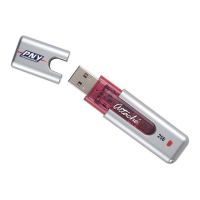
Q2: What can be stored on my Attaché?
A2: Once your Attaché is plugged into your system, it works just like your hard drive. So any type of
data can be stored, erased, copied, or read from it like music files, documents, emails, pictures,
movies, the list of different uses for USB Flash Disk is endless.
Q3: Does the Attaché require a driver to be manually installed on each machine?
A3: Windows ME, 2000, and XP all support without any need to install drivers. Attaché is 100%
plug and play. Just insert your Attaché and your computer sees as a new hard drive. Only for
Windows 98SE do you need to install a driver. The Windows 98SE drivers are provided with the USB
Flash Disk and are available at our website. The Attaché currently does not have support for
Windows 3.11, Windows 95, Windows NT or Windows CE.
Q4: My Windows ME / 2000 / XP cannot detect my device, what can I do?
A4: Since there is no driver required for these operating systems, the device uses the built- in driver
(USB Mass Storage Class Driver) from these operating systems. If your operating system cannot find
the device, then it is very likely that the built- in driver files were missing or corrupted; please try to
recover these files from other computer or from the original Windows operating system CD. Should
you still having problem, please try the method in A1, or contact one of our technical staff.
Q5: Can the Attaché be shared over a network?
A5: Yes, Attaché offers all the functions of a normal hard drive.
Q6: What is the function of the Attaché’s LED?
A6: When you are transferring data the LED will flash indicating the Attaché is in use and is “busy"
writing or reading data. Because some operating systems use write cache, please be sure the LED is
not flashing when you unplug it. Unplugging the Attaché while it is busy will result in lost data and
computer errors.
Q7: Can viruses infect the Attaché?
A7: Yes, Attaché is designed to function as storage device and therefore, behaves like one. Like any
other storage device, you can scan, protect or remove any viruses from it using any anti-virus
software.


 To Next Page