USB 2.0 FLASH DRIVE
________________________________________________________________________________________
Page 5 of 11 91004242B
2 HOW TO INSTALL DRIVER
2.1 Windows 98/98SE
Caution: Please install driver first before you plug in the device!!!
1. Insert the driver CD disc into your CD-ROM.
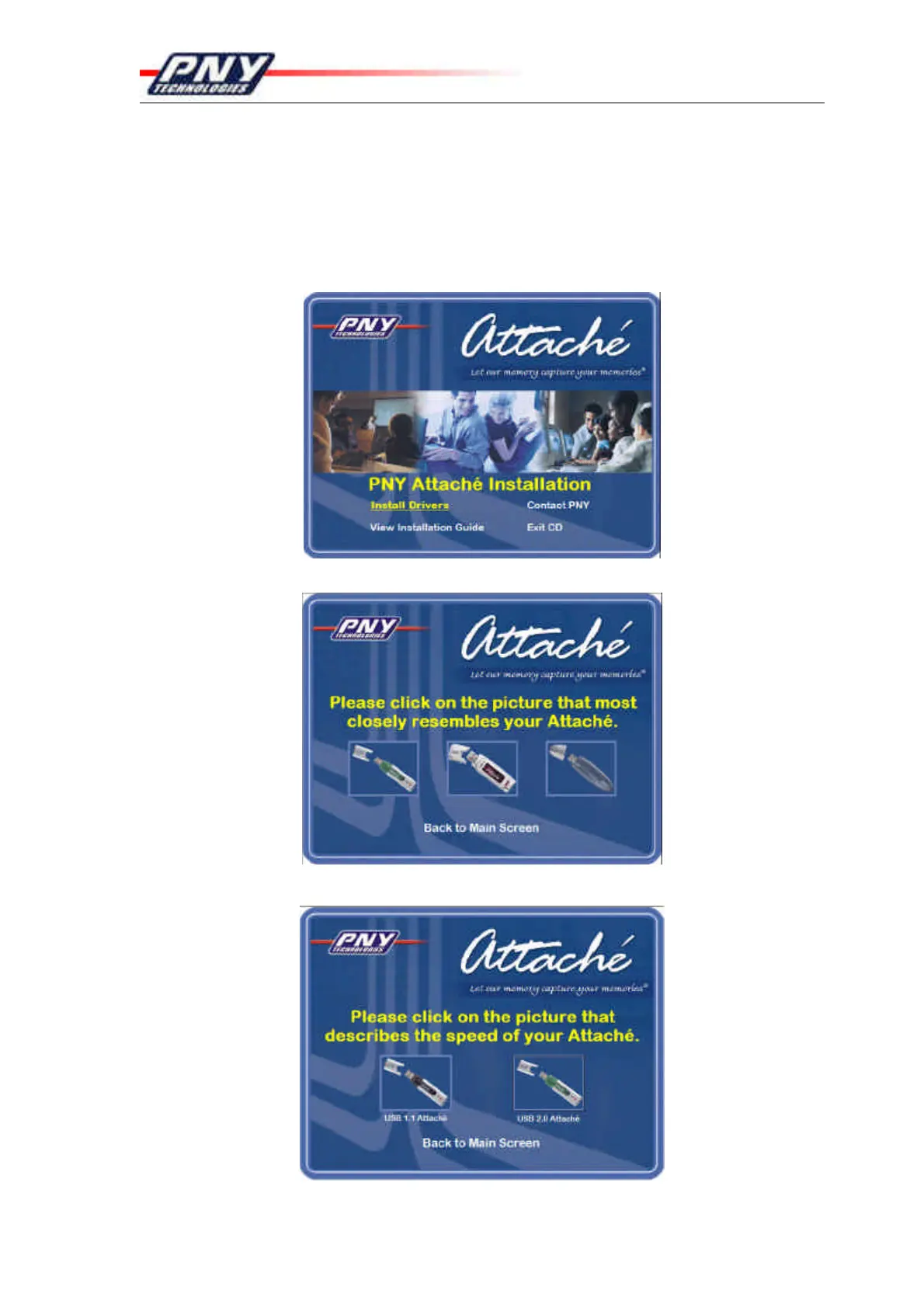
2. The PNY Attaché Installation menu will automatically display.
3. Click “Install Drivers” to start installation.
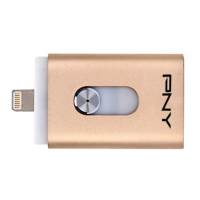
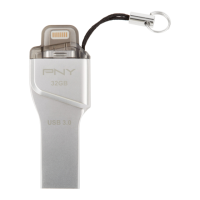
4. Follow the on screen instruction to install driver.
5. Select USB 2.0 Attaché to continue.


 To Next Page