USB 2.0 FLASH DRIVE
________________________________________________________________________________________
Page 6 of 11 91004242B
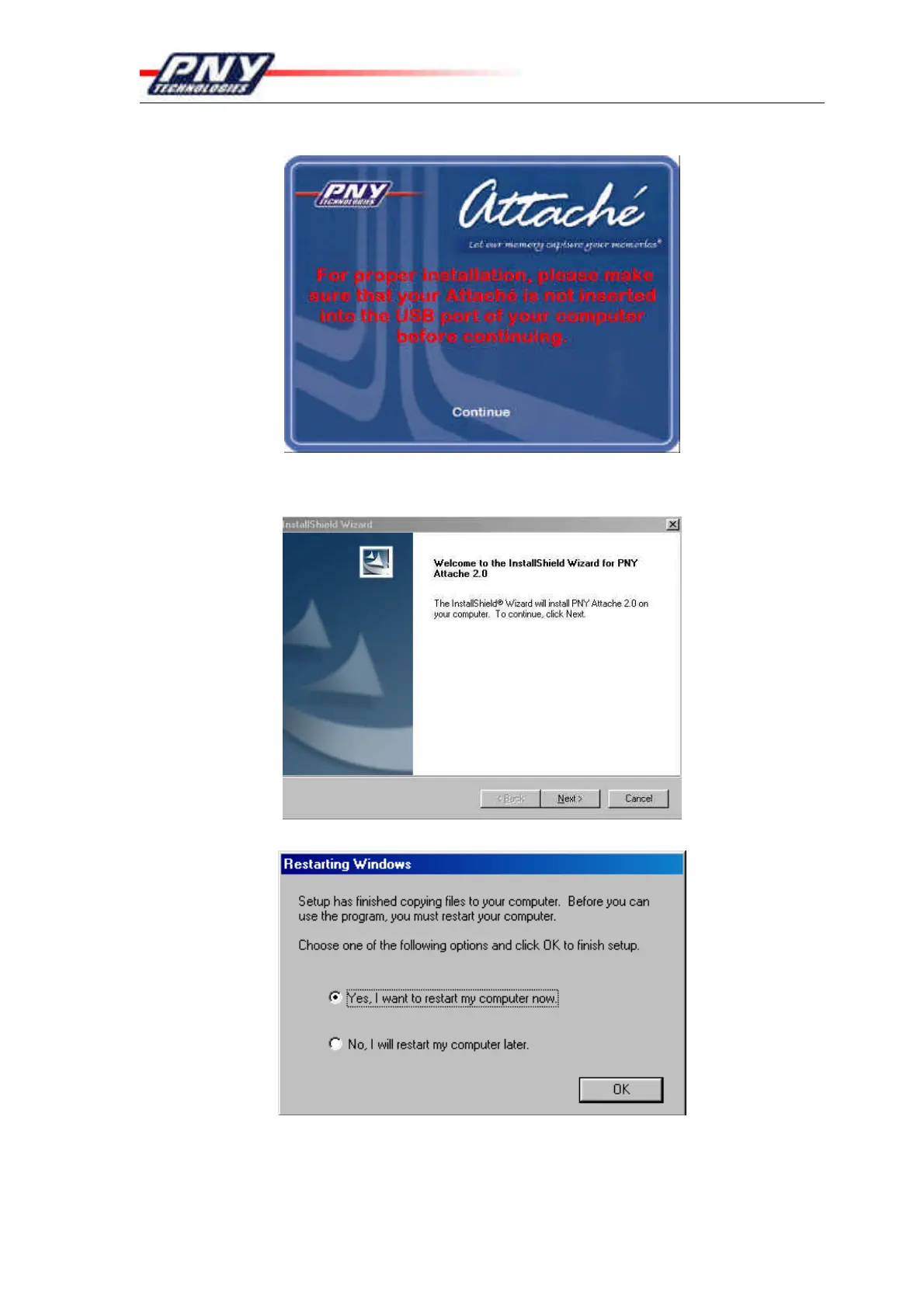
6. After you click on the selected Attaché, the installation warning screen will display.
7. After verifying that your Attaché is not plugged into the computer, click “Continue”.
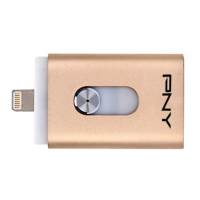
8. The Welcome Screen is displayed. Click “Next” to continue installation.
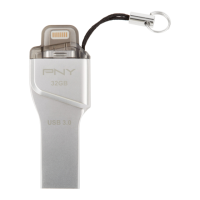
9. Click “OK” to restart machine. (Must restart to complete installation)


 To Next Page