USB 2.0 FLASH DRIVE
________________________________________________________________________________________
Page 2 of 11 91004242B
TABLE OF CONTENTS
1 INTRODUCTION......................................................................................................................... 3
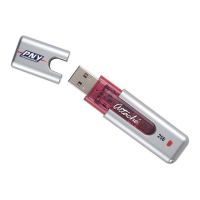
1.1 The Attaché............................................................................................................................ 3
1.2 Product Features................................................................................................................... 4
1.3 Product Characteristics ......................................................................................................... 4
1.3.1 Computer System Requirement..............................................................................................4
1.3.2 Operating System Requirement..............................................................................................4
1.3.3 Technical Parameters ...............................................................................................................4
2 HOW TO INSTALL DRIVER....................................................................................................... 5
2.1 Windows 98/98SE ................................................................................................................. 5
2.2 Windows 2000/ME/XP........................................................................................................... 8
2.3 Mac OS 9.x+.......................................................................................................................... 8
2.4 Linux Kernel 2.4.x+................................................................................................................ 8
3 HOW TO USE THE ATTACHE ................................................................................................... 9
4 WRITE / DELETE PROTECTION SWITCH................................................................................ 9
5 FAQs......................................................................................................................................... 10
HOW TO CONTACT US ................................................................................................................11


 To Next Page