EasyManua.ls Logo

Pocket Wizard Plus II - User Manual

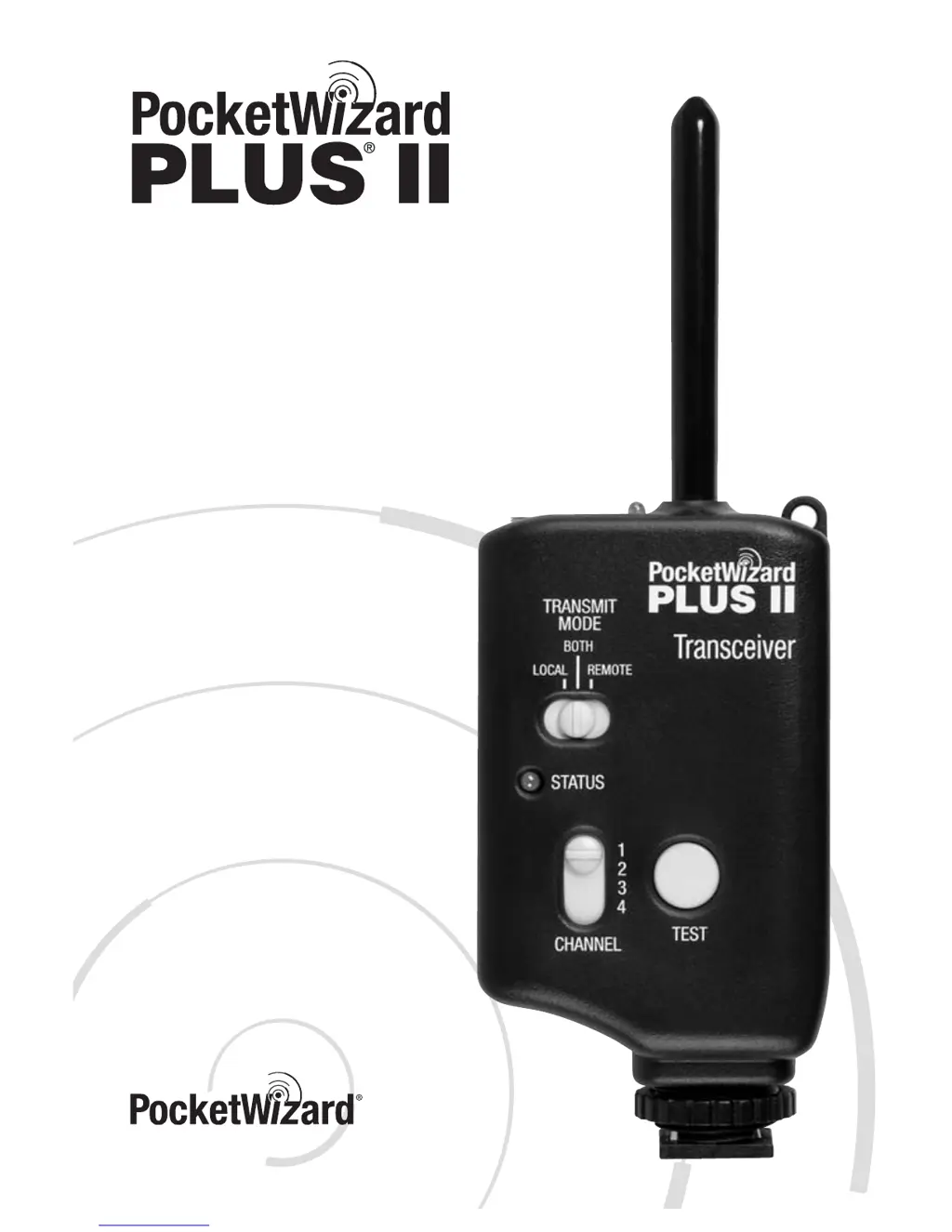
Pocket Wizard Plus II
16 pages
Print Icon
To Next Page IconTo Next Page
Loading...
Owner’s Manual
www.PocketWizard.com

Questions and Answers

Summary

PocketWizard Plus II Key Features

Auto-Sensing Transceiver

Automatically transmits or receives based on connections, eliminating sorting time.

Auto-Relay Functionality

Easily trigger a remote camera and flash in sync for expanded creative options.

Fast FPS and Digital Channels

Triggers up to 12 FPS; 4 digitally coded channels prevent interference.

Extended Range and Sync Speeds

Offers 1600ft range and sync speeds up to 1/500s.

Secure Mounting System

Features a locking hot shoe mount for secure attachment.

PocketWizard Plus II Part Reference

Unit Controls and Indicators

Details the status LED, TRANSMIT MODE switch, On/Off, Channel, and Test buttons.

Unit Ports and Power Connection

Identifies CAMERA/FLASH port, AC Power input, and antenna.

Mounting Features

Highlights hot shoe, 1/4-20 mount, and battery door for attachment.

Included Accessories

Lists AA batteries, PC1 cable, Lanyard, and VELCRO® fasteners.

Batteries and Mounting Options

Battery Installation and Life

Instructions for installing AA batteries and expected battery life.

Mounting Methods

Describes VELCRO®, 1/4-20, Shoe Mount, and Lanyard attachment methods.

Setup for Remote Flash Triggering

Camera Connection Methods

Connect the transceiver to the camera via hot shoe or PC terminal.

Remote Flash Connection

Connect the transceiver's FLASH port to the flash unit's sync terminal.

Triggering Procedure

Steps to power on, set channels, and test triggering for remote flashes.

Flash Connection and TTL Modes

Local Flash Connection

Connect a local flash to the camera's transceiver for synchronization.

Local TTL Flash Usage

Use TTL flash with camera, triggering remote flashes in non-TTL mode.

Triggering Remote Cameras and Relay Mode

Remote Camera Triggering

Setup to trigger a remote camera using a PocketWizard transmitter.

Relay Mode Explained

Triggers a remote flash in sync with a remote camera using channel shifting.

Relay Mode Configuration

Relay Mode Setup Steps

Detailed steps for setting up channel and transmitter modes for relay triggering.

Disabling Relay Mode

Set TRANSMIT MODE to LOCAL to prevent relay sequence when camera-mounted.

Performance and Troubleshooting

Sustaining High Performance

Tips for orientation, position, and antenna placement for optimal range.

Basic Troubleshooting Steps

Initial checks for power, connections, channels, and transmit mode.

Troubleshooting Chart and Notes

Troubleshooting Chart

Problem-solution guide for common issues like no trigger or LED status.

Important Usage Notes

Information on auto-shutdown, VELCRO placement, sync delays, and test button usage.

Technical and Regulatory Information

Technical Specifications

Details frequency, power, port voltage handling, dimensions, and operating temperatures.

FCC Compliance Statement

Information regarding FCC rules, warnings, and compliance for radio devices.

Pocket Wizard Plus II Specifications

General IconGeneral
BrandPocket Wizard
ModelPlus II
CategoryTransceiver
LanguageEnglish

Related product manuals